
AWS DevOps Course in Chennai

Learn AWS DevOps Training in Chennai with Certification and Placements.

Learn to build, automate, deploy and monitor applications on Amazon Web Services (AWS). The course covers 26 AWS services and 11 DevOps tools, from EC2, S3, VPC and Lambda to Git, Jenkins, Docker, Kubernetes, Terraform and Ansible, with hands-on labs and three real-world projects.

  • 500+ Hiring Partners
  • Lifetime Placement Support
  • Bilingual Training in Tamil & English
  • Global Certification Preparation
Greens Technologies classroom training session

Build Your Future in AWS DevOps

Speak with our training team to explore the skills, certifications and support you need to get started.

  • Real-Time Projects & Hands-On Training
  • Dedicated Mock Interviews & Resume Building
₹70+ LPA
Highest Salary Potential
100%*
Placement Assurance
1,00,000+
Careers Launched
4
Flexible Training Modes

Why Choose Greens Technologies for AWS DevOps Training in Chennai?

Greens Technologies has provided IT training since 2008 for students and working professionals who want practical, job-relevant skills.

Practical Learning

Industry-Relevant Curriculum

Experienced IT Trainers

Flexible Training Modes

Personalized Learning Support

Real-World Project Exposure

Placement Assurance

Flexible Batch Options

Meet Our Founder

A message from the leadership behind Greens Technologies.

Founder & Managing Director

Greens Technologies Leadership

Building Chennai's leading software training & placement institute

"Our mission is simple: make quality software education accessible, practical and 100% job-oriented."

What began as a single training center in Adyar has grown to 25 branches across Chennai, Trichy and Salem, offering training, consultancy and development services, with 1,00,000+ students placed through 500+ hiring partners.

15+ YearsIn IT Industry
1,00,000+Students Placed
25Branches

Meet Our Certified Senior Instructors

Learn under the direct mentorship of Greens Technologies leadership and battle-tested industry practitioners. Direct 1-on-1 practical lab guidance with senior practitioners from top product and service companies.

Want to talk directly to our Trainer before enrolling?

Schedule a 15-minute 1-on-1 technical counselling session to discuss your background, syllabus questions, and custom career transition roadmap.

Placement Success Stories

Hear from our students about their learning experiences, placement journeys and how Greens Technologies helped them prepare for the next step in their careers.

01 / 05
Select a Student Story

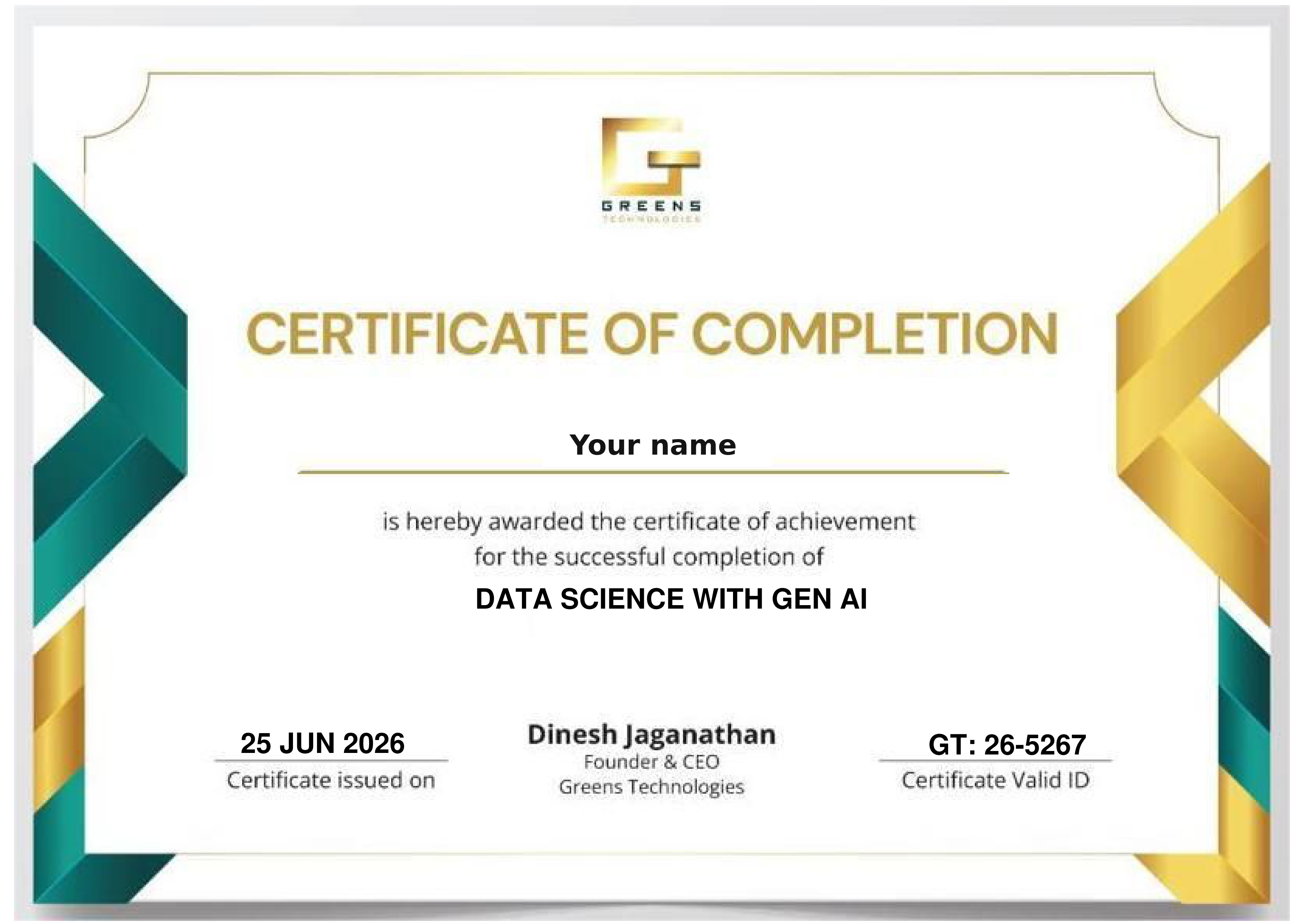
Get Industry Recognized Certification

On completing the course you receive the Greens Technologies AWS DevOps Course Completion Certificate. It shows your hands-on skills in AWS and DevOps and your project work.

Benefits of AWS DevOps Certification

  • Show your skills in AWS cloud services and DevOps automation
  • Add weight to your resume and LinkedIn profile
  • Prepare for global AWS certification exams
  • Support your interview preparation

This is the Greens course certificate. AWS certifications are issued only by AWS, after you pass the exam and meet its requirements.

Sample Greens Technologies certificate of completion

Global Certification Pathways

Click a certification to see how the course prepares you. Provider exams are optional and their fees are separate.

Foundation-level certification. A starting point for anyone new to cloud.

Associate-level certification. Course topics such as EC2, S3, VPC, IAM and RDS build the AWS knowledge it tests.

Professional-level certification for DevOps roles. Course topics such as CI/CD, infrastructure as code and monitoring support your preparation.

Course Curriculum 2026 - One Course. A Clear Sequence.

Master the complete AWS Cloud and DevOps workflow: 33 modules in 8 phases, from your first EC2 instance to automated pipelines, containers and monitoring.

  • Introduction to Cloud Computing
  • What is Cloud Computing?
  • Why Cloud Computing?
  • History of Cloud Computing
  • Evaluation of Cloud Computing
  • Virtualization and Hypervisor
  • Cloud Service Models: IaaS, PaaS, SaaS
  • Cloud Deployment Models: Public, Private, Hybrid
  • Introduction to AWS
  • Why Learn AWS?
  • Data Centers and Regions
  • AWS Global Infrastructure
    • Overview of AWS Global Infrastructure
    • Overview of AWS Regions and Availability Zones
    • Edge Locations
    • Understanding the AWS global network infrastructure
    • Selecting the appropriate AWS Region for deployment
  • AWS Shared Responsibility Model
  • AWS Account Creation and Management
    • Creating an AWS Account (step-by-step)
    • AWS Free Tier Overview
    • Root User vs IAM User
    • Best Practices for AWS Account Security
    • MFA
    • Billing Alerts
  • What is Amazon EC2?
  • EC2 Overview
  • EC2 Use Cases
  • EC2 Architecture Overview
  • Instance Types (General, Compute, Memory, Storage optimized)
  • AMI (Amazon Machine Image)
  • Key Pairs (Public & Private Keys)
  • Security Groups (Inbound & Outbound Rules)
  • Launching an EC2 Instance (Hands-on)
    • Windows Server
    • Linux (Amazon Linux / Ubuntu)
  • Connecting to EC2
    • SSH for Linux
    • RDP for Windows
  • Hosting Applications on EC2
    • IIS on Windows
    • Apache / Nginx on Linux
  • Understanding EC2 Pricing Models
    • On-Demand
    • Reserved Instances
    • Spot Instances
  • EC2 Instance Lifecycle
  • EC2 Storage Options Overview
  • Elastic Network Interfaces (ENI)
  • Elastic IP Address
    • Allocate & Associate Elastic IP
  • User Data & Bootstrapping
  • EC2 Placement Groups
  • Monitoring EC2 with CloudWatch Metrics
  • EC2 Auto Recovery
  • EC2 Backup using AMI
  • AMI Hands-on
    • Create Custom AMI
    • Launch EC2 from AMI
  • Best Practices for EC2
  • EC2 Troubleshooting Scenarios
  • What is Amazon EBS?
  • EBS Overview
  • EBS Volume Types (gp3, gp2, io1, io2, st1, sc1)
  • Creating and Attaching EBS Volumes
    • To Windows Server
    • To Linux Server
  • EBS vs Instance Store
  • Formatting and Mounting EBS (Hands-on)
  • EBS Snapshots
  • Incremental Snapshots
  • Encrypting EBS Volumes
  • Resizing EBS Volume
  • EBS Best Practices
  • Introduction to Amazon S3
  • S3 Overview
  • S3 Use Cases
  • Buckets and Objects
  • S3 Storage Classes
  • Versioning
  • S3 Permissions (Bucket Policy & ACL)
  • Bucket Policies & Permissions
  • S3 Encryption (At-rest & In-transit)
  • Static Website Hosting on S3
  • Lifecycle Rules
  • S3 Replication
  • S3 Best Practices
  • What is IAM?
  • IAM Overview
  • Importance of IAM in AWS Security
  • IAM Users
  • IAM Groups
  • IAM Roles
  • Role-based Access (EC2, Lambda)
  • IAM Policies (Managed vs Inline)
    • Managed Policies
    • Inline Policies
  • Policy Structure (JSON Basics)
  • MFA (Multi-Factor Authentication)
  • IAM Best Practices (Least Privilege)
  • Shared Responsibility Model
  • What is Amazon VPC?
  • VPC Overview
  • VPC Components Overview
  • CIDR Blocks
  • Subnets (Public & Private)
  • Internet Gateway
  • Route Tables
  • Launching EC2 in VPC
  • VPC Security Overview
  • NAT Gateway & NAT Instance
  • VPC Peering
  • VPC Endpoints
  • Network ACLs
  • Security Groups vs NACLs
  • Bastion Host
  • VPC Flow Logs
  • VPC Architecture Best Practices
  • High Availability & Scalability Concepts
  • Elastic Load Balancer Overview
  • Types of Load Balancers (ALB, NLB, CLB)
  • Classic Load Balancer (CLB)
  • Application Load Balancer (ALB)
  • Target Groups
  • Health Checks
  • Auto Scaling Overview
  • Auto Scaling Groups
  • Auto Scaling Group Components
  • Launch Configuration / Launch Template
  • Scaling Policies
  • Load Balancer Integration with Auto Scaling
  • Hands-on: ALB with ASG
  • What is DNS?
  • Amazon Route 53 Overview
  • Hosted Zones
  • Record Types (A, CNAME, MX, Alias)
  • Routing Policies
  • Health Checks
  • Domain Registration
  • Domain Routing to EC2 & Load Balancer
  • Introduction to CDN
  • CDN Overview
  • Amazon CloudFront
  • CloudFront Architecture
  • Origins & Behaviors
  • Caching & TTL
  • Creating CloudFront Distribution
  • S3 + CloudFront Integration
  • AWS WAF Overview
  • Protecting Applications using WAF
  • Introduction to Amazon RDS
  • RDS Overview
  • Supported Databases
  • RDS Architecture
  • Launch RDS Instance
  • Multi-AZ Deployment
  • Read Replicas
  • RDS Backup & Snapshots
  • RDS Security
  • Security Group Configuration
  • Monitoring RDS
  • Amazon CloudWatch (Metrics, Logs, Alarms)
  • Custom Metrics
  • EC2 & EBS Snapshots
  • CloudTrail Overview
  • API Auditing
  • Event History
  • Use Cases of CloudTrail
  • Amazon SNS
  • SNS Topics & Subscriptions
  • Real-time Notifications
  • Serverless Computing Concepts
  • Introduction to AWS Lambda
  • Lambda Overview
  • Lambda Architecture
  • Creating Lambda Functions
  • Creating First Lambda Function
  • Lambda Execution Role (IAM Role for Lambda)
  • Triggers & Events
  • CloudWatch Event Trigger
  • EC2 Start/Stop Automation using Lambda
  • Lambda Pricing
  • Best Practices
  • Introduction to API Gateway
  • REST API vs HTTP API
  • Integrating API Gateway with Lambda
  • DynamoDB Overview
  • NoSQL Overview
  • Tables, Items & Attributes
  • Primary Keys
  • Read/Write Capacity
  • DynamoDB Use Cases
  • CI/CD Overview
  • AWS CodeDeploy
  • Deployment Strategies
  • AWS CodePipeline
  • Pipeline Stages
  • Integrating GitHub
  • End-to-End CI/CD Demo
  • Containers Basics
  • Amazon ECR
  • Docker Image Push & Pull
  • Amazon ECS
  • Task Definitions
  • ECS Launch Types
  • AWS KMS
  • Encryption Concepts
  • Kubernetes Fundamentals
  • Amazon EKS Overview
  • EKS Architecture
  • Worker Nodes
  • Pods & Services
  • Deploying Application on EKS
  • EKS Security Best Practices
  • AWS CLI Overview
  • Installing AWS CLI (Windows & Linux)
  • Configuring AWS CLI
  • Common AWS CLI Commands
  • EFS Overview
  • Creating EFS
  • Mounting EFS on Linux Server
  • EFS Security Group Configuration
    • Allow All Traffic (Lab Scenario)
  • Infrastructure as Code (IaC)
  • CloudFormation Templates
  • Stack Creation & Deletion
  • Elastic Beanstalk Overview
  • Application Deployment
  • Environment Types
  • Auto Scaling & Load Balancer Integration
  • What is DevOps?
  • DevOps Lifecycle
  • DevOps Tools Overview
  • CI/CD Concepts
  • Infrastructure as Code (IaC)

Git Fundamentals

  • What is Version Control?
  • Centralized vs Distributed Version Control
  • Introduction to Git
  • Installing Git & Initial Configuration
  • Git Repository (Local & Remote)
  • Git Workflow Basics
  • Common Git Commands
    • git init, status, add, commit
  • Understanding Git Snapshots
  • Hands-on: Create and Manage Local Repository

Branching & Collaboration

  • Git Branches
  • Creating & Switching Branches
  • Merging Branches
  • Merge Conflicts & Resolution
  • Introduction to GitHub
  • Pushing Code to Remote Repository
  • Pull Requests Workflow
  • Git Clone, Pull, Fetch
  • Hands-on: Team Collaboration using GitHub

Advanced Git & Workflows

  • Git Rebase vs Merge
  • Git Stash
  • Git Tags
  • Git Reset vs Revert
  • .gitignore File
  • Git Hooks (Intro)
  • Git Best Practices
  • Real-world Git Workflow (Feature, Release, Hotfix)

Jenkins Basics & Jobs

  • What is CI/CD?
  • Introduction to Jenkins
  • Jenkins Architecture
  • Installing Jenkins (Linux / Docker)
  • Jenkins Dashboard Overview
  • Node Configuration
  • Jenkins Jobs
    • Freestyle Jobs
    • Parameterized Jobs
    • Scheduled Jobs
    • Trigger-Based Jobs
  • Jenkins SCM Integration
    • Source Code Integration (GitHub)
    • Git Source Code Management (SCM)
    • Maven Build Integration
  • Build Triggers
  • Hands-on: First Jenkins Job

Jenkins Pipelines

  • Jenkins Pipeline Concepts
  • Pipeline Basics
  • Declarative vs Scripted Pipeline
  • Jenkinsfile Structure
  • Pipeline Stages & Steps
  • Environment Variables
  • Post-build Actions
  • Pipeline Projects
  • Hands-on: CI Pipeline using Jenkinsfile

Plugins, Agents & Integrations

  • Jenkins Plugins Overview
  • Credential Management
  • Parameterized Builds
  • Jenkins Agents & Nodes
  • Integration with Docker
  • Notifications (Email, Slack)
  • Jenkins Best Practices
  • CI/CD Pipeline Demo

Code Quality & Artifact Management

  • SonarQube Integration
  • Nexus Repository Manager
  • CI/CD Best Practices

Jenkins End-to-End Pipeline Project

  • CI Pipeline
  • CD Pipeline
  • Docker + Kubernetes Integration
  • Blue-Green Deployment with Argo

Docker Fundamentals

  • What are Containers?
  • Containers vs Virtual Machines
  • Introduction to Docker
  • Docker Architecture
  • Installing Docker
  • Docker Images & Containers
  • Common Docker Commands
    • docker pull / push
    • docker run / stop / rm
    • docker inspect
    • docker prune
    • docker save / load
  • Hands-on: Run First Container

Dockerfile & Images

  • Dockerfile Basics
  • Dockerfile Instructions
  • Building Custom Images
  • Image Lifecycle Customization
  • Image Layers & Caching
  • Docker Volumes
  • Docker Networking
  • Exposing Ports
  • Resource Limits (CPU, Memory)
  • Docker Stats & Monitoring
  • Hands-on: Containerize a Web Application

Docker Compose & Registry

  • Docker Compose
  • Multi-container Applications
  • Docker Registry & Docker Hub
  • Image Tagging & Versioning
  • Docker Security Basics
  • Docker Best Practices

Docker Advanced and Projects

  • Docker Storage (Volumes & Bind Mounts)
  • Backup & Restore Containers
  • AWS ECR Integration
  • Docker Projects
    • MySQL Container Setup
    • Two-Tier Application
    • CentOS + Tomcat
    • Multi-stage Docker Build

Architecture & Cluster Setup

  • Introduction to Kubernetes Architecture
  • Master & Worker Nodes
  • Kubernetes Components (API Server, etcd, Scheduler, Controller Manager)
  • Understanding Control Plane & Worker Nodes
  • Manual Kubernetes Setup
  • Installing Kubernetes using Minikube
  • Installing Kubernetes using Kops (AWS-based)
  • Comparing Minikube vs Kops
  • kubectl Installation & Configuration
  • Basic kubectl Commands
  • Hands-on: Create and Verify Kubernetes Cluster

Pods & Workloads

  • What is a Pod?
  • Pod Lifecycle
  • Multi-container Pods
  • ReplicaSet
  • Deployment Controller
  • Rolling Updates & Rollbacks
  • DaemonSet
  • Namespace Concepts
  • Creating & Managing Namespaces
  • Hands-on: Deploy Applications using Deployments

Services & Networking

  • Why Services are Required?
  • Service Types Overview
  • ClusterIP Service
  • NodePort Service
  • LoadBalancer Service
  • Service Discovery
  • DNS in Kubernetes
  • Hands-on: Expose Applications using Services

Security & RBAC

  • Kubernetes Authentication & Authorization
  • RBAC Overview
  • Roles & RoleBindings
  • ClusterRoles & ClusterRoleBindings
  • Service Accounts
  • Introduction to IRSA (IAM Roles for Service Accounts - EKS)
  • Secure Access to AWS Services from Pods
  • Hands-on: RBAC Configuration

Scheduling

  • Kubernetes Scheduler Overview
  • Node Selector
  • Node Affinity (Required & Preferred)
  • Pod Affinity & Anti-Affinity
  • Taints & Tolerations
  • Use Cases & Best Practices
  • Hands-on: Pod Scheduling Scenarios

Storage

  • Kubernetes Storage Architecture
  • Volumes Overview
  • emptyDir Volume
  • hostPath Volume
  • Persistent Volumes (PV)
  • Persistent Volume Claims (PVC)
  • Storage Classes
  • AWS EBS CSI Driver
  • AWS EFS CSI Driver
  • Hands-on: Stateful Storage Setup
  • Multi-Tier Application Deployment

Probes, Configuration & Secrets

  • Liveness probes
  • Readiness probes
  • Startup probes
  • Init containers
  • Sidecar containers
  • Environment variables
  • ConfigMaps & Secrets

Ingress

  • Ingress concepts
  • Ingress vs Service LoadBalancer
  • Ingress resources
  • Ingress controllers
  • AWS ALB as Ingress Controller
  • Annotations, TLS, HTTPS
  • Hands-on ALB Ingress setup

Jobs, StatefulSets & Autoscaling

  • Jobs
  • CronJobs
  • StatefulSets
  • Headless Services
  • ExternalName Service
  • Resource Requests & Limits
  • Resource Quotas
  • Horizontal Pod Autoscaler (HPA)
  • Metrics Server
  • Hands-on: Autoscaling applications

Extending Kubernetes: CRDs, Operators & CNI

  • Custom Resource Definitions (CRDs)
  • Operators & Operator SDK
  • Container Network Interface (CNI)
  • CNI plugins (Calico, Flannel, AWS VPC CNI)
  • Container Runtime Interface (CRI)
  • containerd, CRI-O
  • Real-world architecture & best practices

Kubernetes with Terraform

  • Provision Kubernetes Cluster using Terraform
  • Kubernetes Provider
  • Namespace Creation using Terraform
  • Pod & Service Deployment
  • Load Balancer Setup
  • Cluster Visualization using Lens
  • What is Helm?
  • Why Helm is Required in Kubernetes?
  • Helm Architecture
    • Helm Client
    • Helm Charts
    • Helm Repository
  • Understanding Helm Chart Structure
    • Chart.yaml
    • values.yaml
    • templates/
  • Helm Templating Basics
  • Using values.yaml for Configuration
  • Helm Commands
    • helm install
    • helm upgrade
    • helm rollback
    • helm uninstall
  • Helm Releases and Versions
  • Managing Multiple Environments using Helm
  • Creating Custom Helm Charts
  • Helm Best Practices

Argo CD

  • What is GitOps?
  • GitOps Concepts
  • Argo CD Architecture
  • Argo CD vs Traditional CI/CD
  • Installing Argo CD in Kubernetes
  • Argo CD UI and CLI Overview
  • Connecting Git Repository to Argo CD
  • Application Manifests
  • Application Sync & Rollback
  • Sync Policies
  • Self-healing and Drift Detection
  • Rollbacks using Git History
  • Managing Multiple Environments
  • Argo CD Security and RBAC (Overview)

Argo Rollouts

  • Blue-Green Deployment
  • Canary Deployment

Terraform Fundamentals

  • What is Infrastructure as Code?
  • Introduction to Terraform
  • Terraform Architecture
  • Installing Terraform
  • Terraform Providers
    • Providers & Resources
  • Terraform Configuration Files
  • terraform init, plan, apply
  • Terraform Commands (init, plan, apply, destroy)
  • Hands-on: Create AWS Resources using Terraform

State, Variables & Modules

  • Terraform State File
  • Remote Backend
  • Remote State (S3 + DynamoDB)
  • State Locking
  • Variables & Outputs
  • Variables & tfvars
  • Terraform Modules
  • Reusable Infrastructure
  • Hands-on: Modular Terraform Setup

Workspaces & Advanced Concepts

  • Terraform Workspaces
  • Dependency Management
  • Lifecycle Rules
  • Terraform Import
  • Best Practices
  • Terraform vs CloudFormation
  • Real-world IaC Project

Terraform Core Resources and Advanced Concepts

  • EC2 Creation using Terraform
  • Security Group (SG)
  • VPC using Terraform
  • User Data
  • Data Blocks
  • Looping (count, for_each)

Ansible Fundamentals

  • What is Configuration Management?
  • Introduction to Ansible
  • Ansible Architecture
  • Agentless Nature of Ansible
  • Inventory Files
  • Ansible Ad-hoc Commands
  • Modules Overview
  • Hands-on: Basic Ansible Commands

Playbooks

  • YAML Basics
  • Writing Ansible Playbooks
  • Tasks, Handlers, Variables
  • Conditionals & Loops
  • Roles & Directory Structure
  • Modules & Roles
  • Hands-on: Server Configuration using Playbooks

Advanced Ansible

  • Ansible Vault
  • Dynamic Inventory
  • Error Handling
  • Ansible Best Practices
  • Ansible Integration with AWS
  • Ansible for Server Automation
  • Real-world Configuration Management Project
  • What is Monitoring and Observability?
  • Difference between Monitoring, Logging, and Tracing
  • Introduction to Prometheus
  • Prometheus Architecture
  • Time-series database
  • Targets & Scraping
  • Metrics, Labels, and Time Series
  • Prometheus Data Model
  • Exporters
  • Node Exporter
  • Introduction to PromQL
  • Basic queries
  • Filtering and aggregations
  • Introduction to Grafana Architecture
  • Connecting Prometheus as a Data Source
  • Creating Dashboards and Panels
  • Alerts and Alertmanager (Overview)
  • What is Log Management?
  • Why Centralized Logging is Required?
  • Introduction to Splunk
  • Splunk Use Cases (Monitoring, Security, Troubleshooting)
  • Splunk Architecture
    • Forwarder
    • Indexer
    • Search Head
  • Universal Forwarder vs Heavy Forwarder
  • Data Inputs and Sources
  • Indexes and Indexing Process
  • Understanding Events and Fields
  • Introduction to SPL (Search Processing Language)
  • Basic SPL Commands
    • Search
    • Filter
    • Stats
  • Creating Reports and Dashboards
  • Alerts and Real-time Monitoring
  • Hands-on: Log Analysis using Splunk

Build a Real AWS DevOps Portfolio

Projects that connect the tools in the course to real deployment scenarios.

Capstone Project 01

1. Three-Tier Architecture on AWS

Suggested tools: VPC, EC2, Elastic Load Balancing, Auto Scaling and RDS

Build an application with separate web, application and database layers. Configure networking and access controls, deploy servers, distribute traffic and connect a managed database. Practise designing for security, scalability and availability.

VPC EC2 ELB Auto Scaling RDS
Capstone Project 02

2. Application Deployment with CI/CD

Suggested tools: Git, Jenkins, Docker and Kubernetes

Build a pipeline that moves application code through build, test and deployment stages. Package the application in containers and deploy it to a Kubernetes cluster. Practise automated releases and controlled application updates.

Git Jenkins Docker Kubernetes
Capstone Project 03

3. Infrastructure Deployment with CI/CD

Suggested tools: Terraform, Git, Jenkins and AWS

Define AWS infrastructure using Terraform and deploy changes through a pipeline. Store configurations in version control, manage infrastructure state and apply reviewed changes consistently across environments.

Terraform Git Jenkins AWS

Your portfolio tells the story: In technical interviews, walk through your architecture diagrams, pipeline stages, infrastructure code and monitoring setup. Clearly explain the problem each project solves and your technical choices to stand out from other candidates.

READY TO START? ENROLL TODAY

Reserve your seat for the next AWS DevOps batch.

Flexible 1-on-1 batches, a portfolio project at the end of the course, and the chance to talk directly to our trainer.

Call +91 8939915577

Upcoming AWS DevOps Training Batches

New batch every Monday & Friday Classroom & Online Live Tamil & English Instruction
Early Morning Slot
6:00 AM - 7:30 AM
Classroom & Online Live
Morning Slot
8:00 AM - 9:30 AM
Classroom & Online Live
Late Morning Slot
11:00 AM - 12:30 PM
Classroom & Online Live
Afternoon Slot
2:00 PM – 3:30 PM
Classroom & Online Live
Evening Slot (Popular for Working Pros)
7:00 PM - 8:30 PM
Classroom & Online Live

Training Delivery Modes

Choose the learning structure that matches your current schedule, location, and career goals.

Online Live Training

Live instructor-led, India & abroad

Classroom Training

Hands-on labs at 25 branches

1-on-1 Fast Track

Custom pace & scope

Corporate Training

Custom enterprise batches

Who Should Take This AWS DevOps Course?

For anyone who wants a career in cloud and DevOps.

Course Prerequisites: None Required

Learners can take this course regardless of previous technical or programming knowledge. We start from foundational Python and Linux basics, making it equally suitable for complete beginners, freshers, and experienced professionals.

Complimentary Linux and Python Foundation Course Included Beginner Friendly Live Mentor Guidance

Roles this course prepares you for

DevOps Engineer Cloud Engineer Site Reliability Engineer Release Engineer

Freshers & College Students

Non-IT Professionals

Software Developers & Testers

System & Support Teams

Cloud & Network Engineers

Career Switchers

IT Managers & Tech Leads

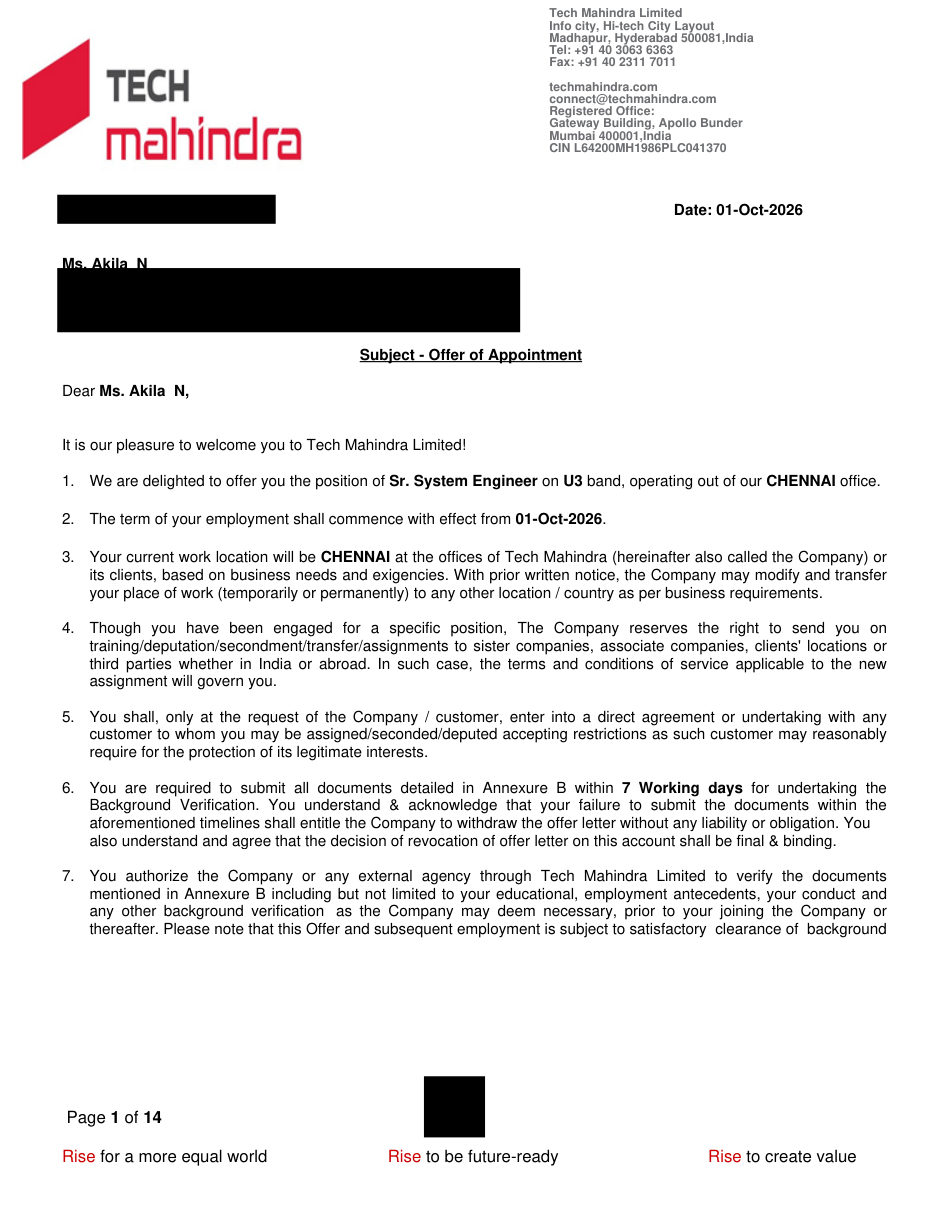
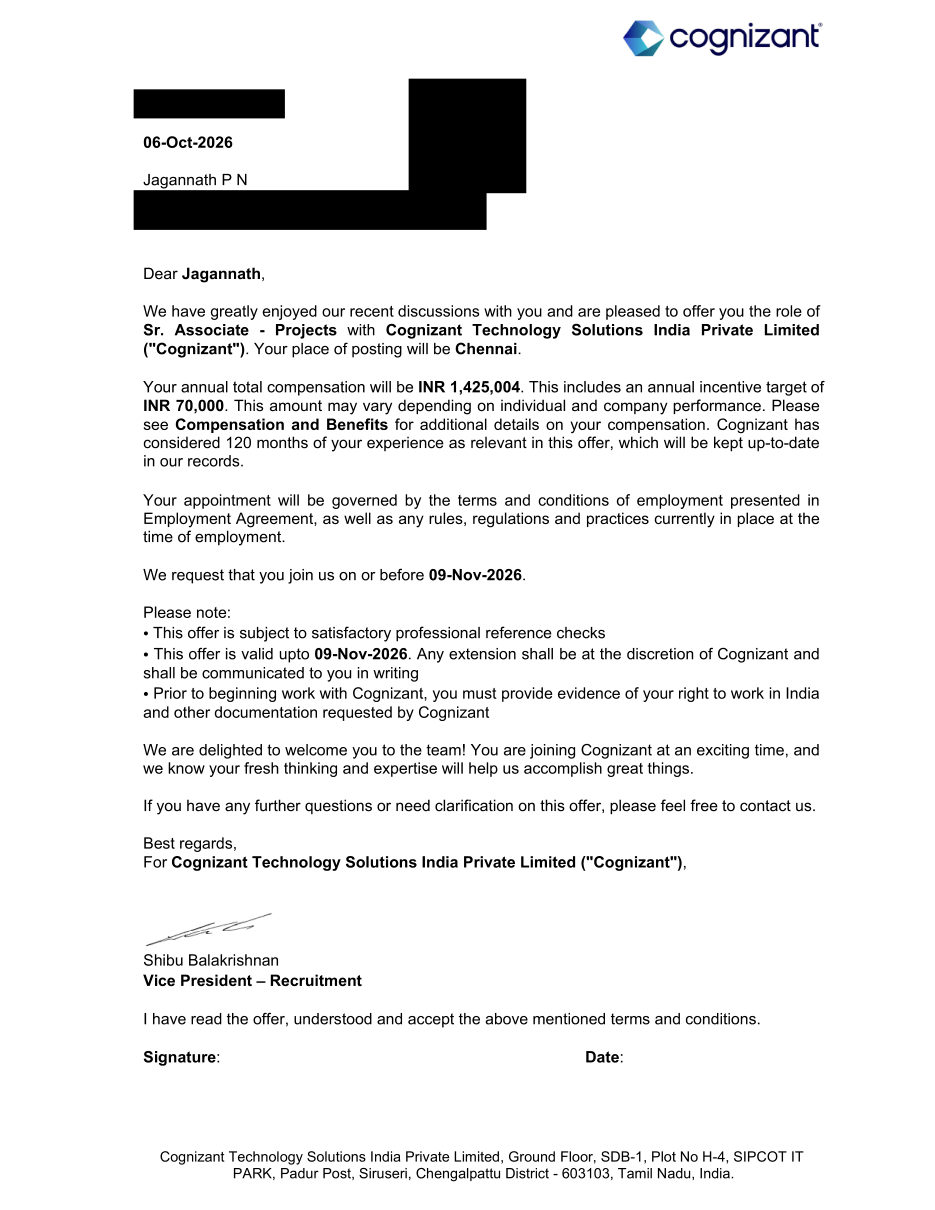
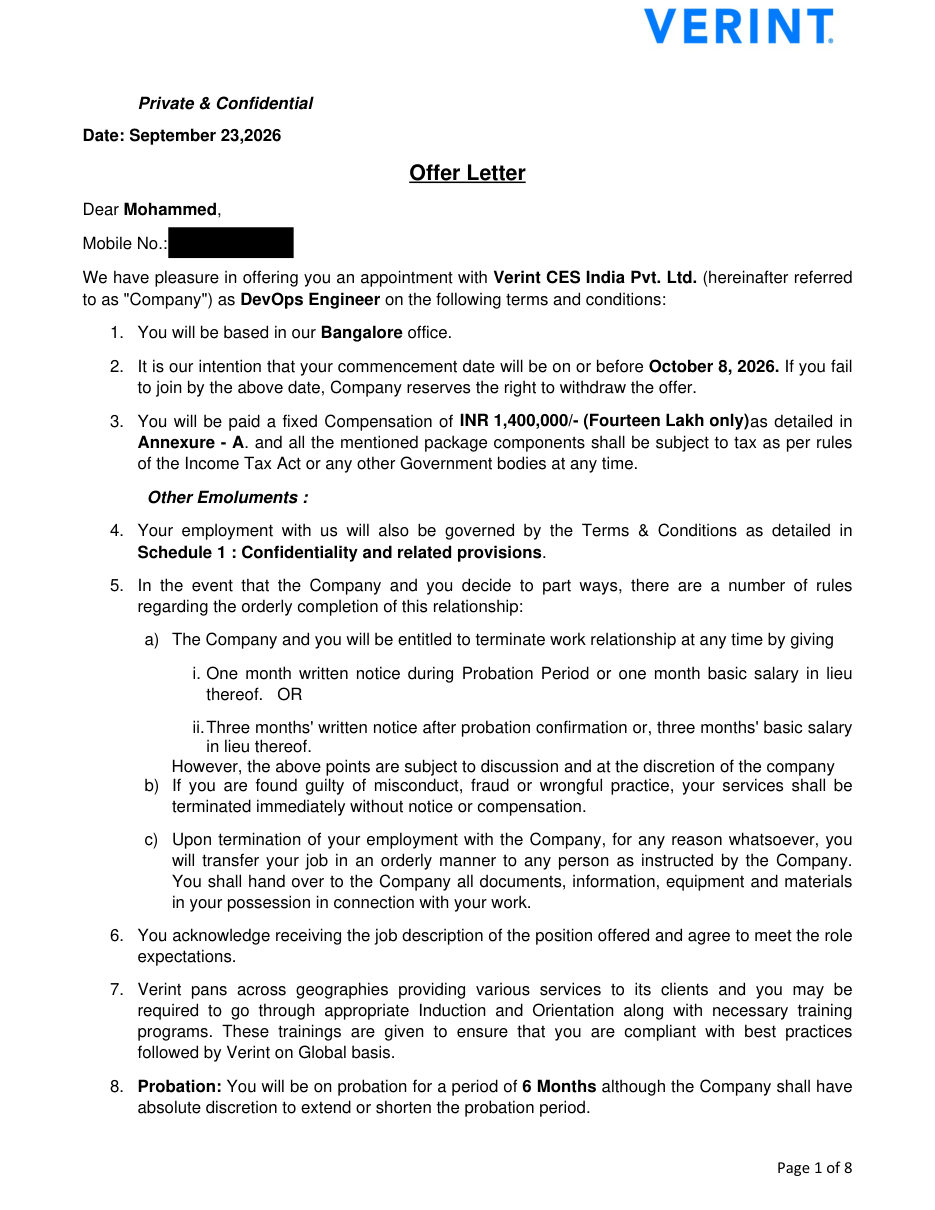
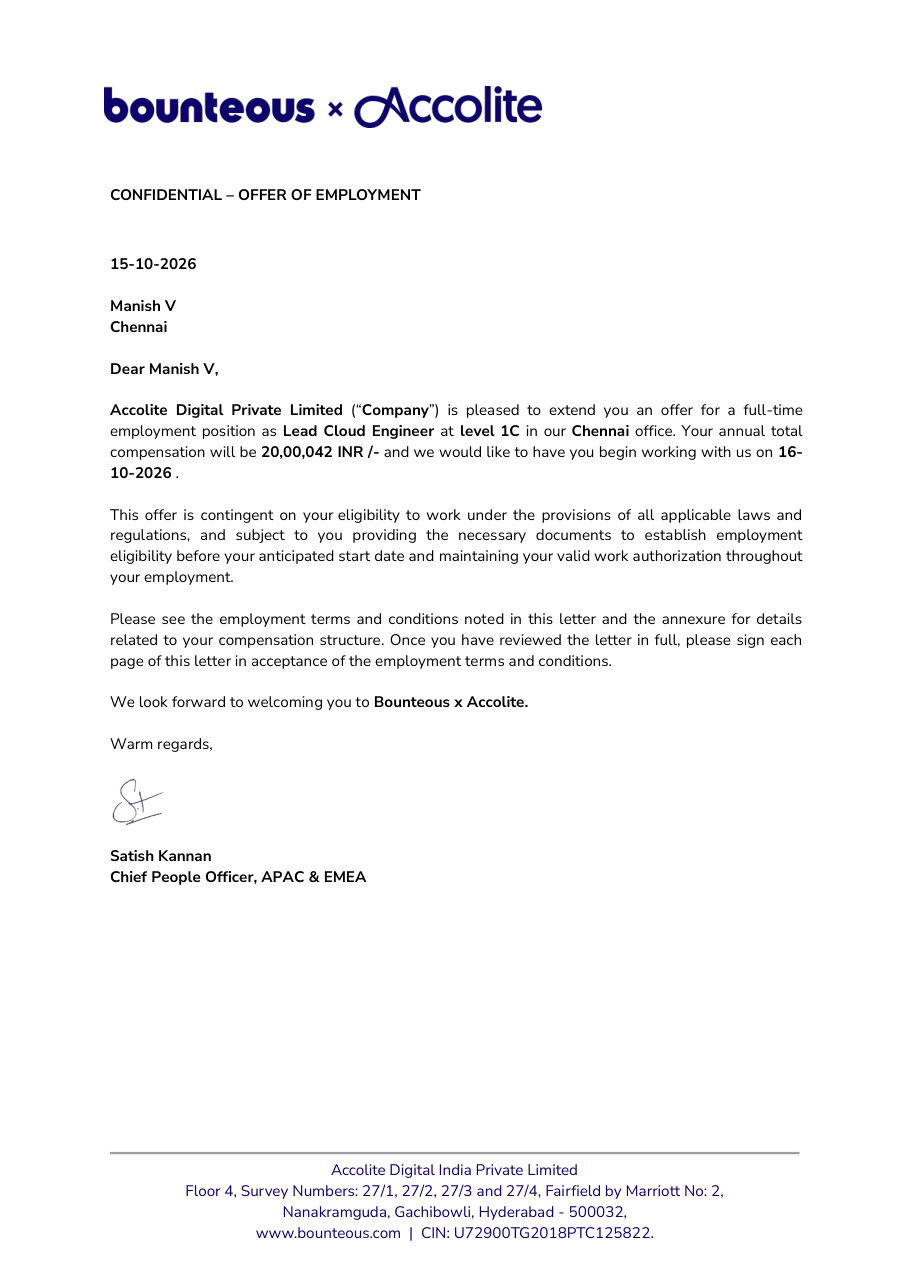
Placement Assurance - Learn. Prepare. Get Placed.

Practical training, project preparation and career services in one course. Our dedicated placement cell bridges the gap between your training and your first cloud and DevOps role.

Placements Guaranteed Build your skills and prepare for the next step with Greens Technologies

Resume Preparation

Mock Interviews

Job-Ready Profiles

Interview Coordination

Our Students Work at Global Tech Leaders

Greens Technologies graduates are hired across top product companies and multinational IT consultancies.

Zoho
Freshworks
Amazon
Microsoft
Google
Swiggy
Flipkart
Paytm
TCS
Infosys
Wipro
Cognizant
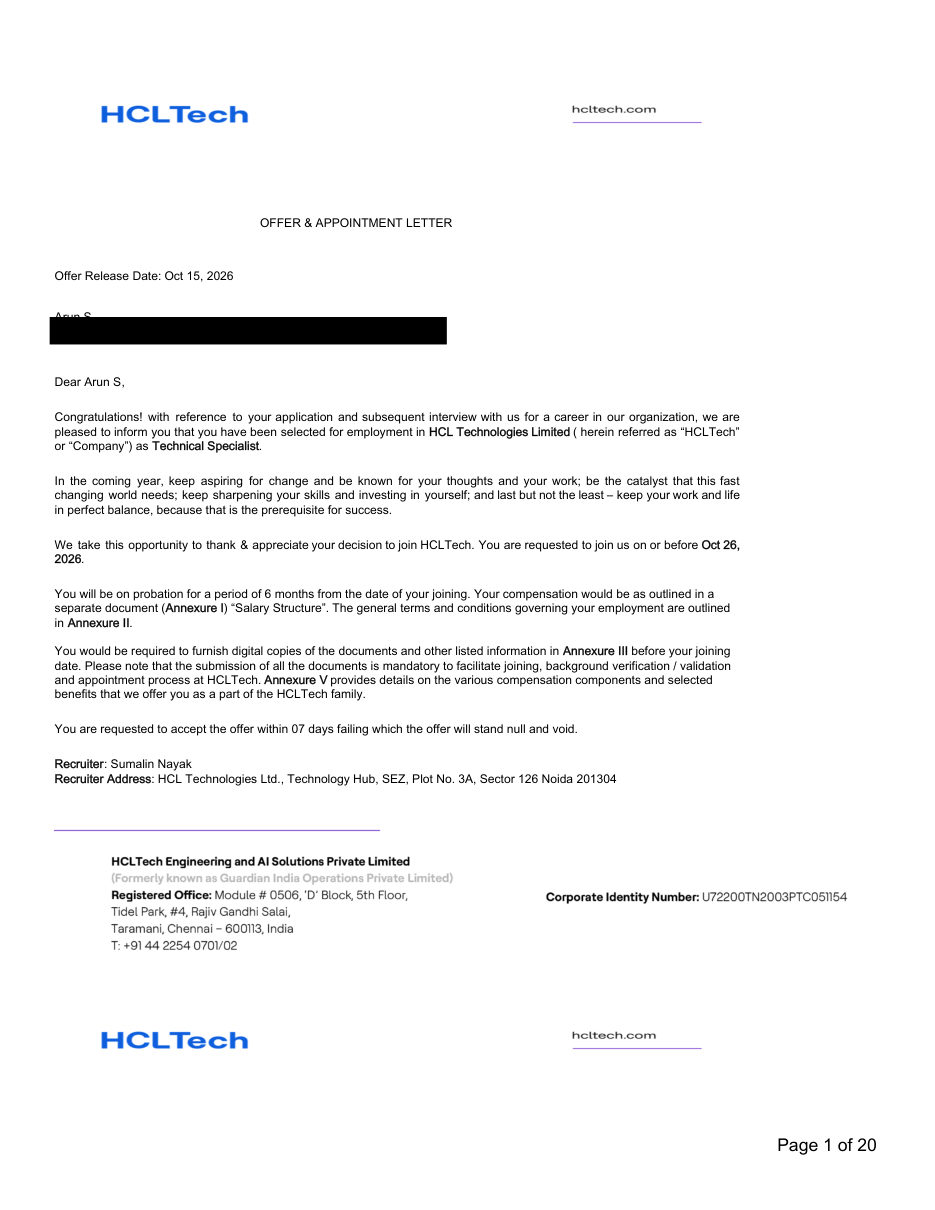
HCLTech
Accenture
Capgemini
LTIMindtree
500+ Active Hiring Partners
100% Placement Assurance
₹10 - ₹70+ LPA Salary Packages
1,00,000+ Careers Launched

AWS DevOps Top Interview Questions & Answers

Practise real-world technical interview questions covering AWS, Linux, Git, Jenkins, Docker, Kubernetes, Terraform and Ansible to prepare for your technical rounds.

Where AWS DevOps Creates Business Value

Modern companies release software faster and run it more reliably with cloud and DevOps. The course covers use cases employers need:

Faster software releases with automated CI/CD pipelines

Repeatable cloud setup with infrastructure as code

Scalable, highly available applications on AWS

Monitoring and logging for live applications

Course FAQs

Everything you need to know about the AWS DevOps programme, certification and how we handle your data.

Learn how to build cloud infrastructure and automate software delivery. The course combines AWS services with DevOps tools for deploying, managing and monitoring applications.
AWS provides cloud services such as servers, storage, networking and databases. DevOps combines practices and tools to automate how software is built, tested, deployed and monitored.
The syllabus covers 26 AWS services, including EC2, S3, VPC, IAM, RDS, Lambda, EKS and CloudFormation. It also covers Git, Jenkins, Docker, Kubernetes, Helm, Argo CD, Terraform, Ansible, Prometheus, Grafana and Splunk.
Yes. It includes launching EC2 instances, configuring cloud networks, creating Jenkins pipelines, building Docker images and provisioning infrastructure with Terraform.
Three projects: Three-Tier Architecture on AWS, Application Deployment with CI/CD, and Infrastructure Deployment with CI/CD.
Relevant certifications include AWS Certified Cloud Practitioner (CLF-C02), Solutions Architect - Associate (SAA-C03) and DevOps Engineer - Professional (DOP-C02). Certification requires passing the relevant AWS exam; completing training alone does not award an AWS certification. Earlier certifications are not mandatory for the Professional exam, but AWS recommends at least two years of relevant AWS experience. See the AWS certification page.
These skills are relevant to Cloud Engineer, DevOps Engineer, Site Reliability Engineer and Release Engineer roles. Suitability depends on your experience, practical skills and the employer's requirements.
Call Greens Technologies on +91 8939915577 to discuss the syllabus, current batches, fees and enrolment details.

25 Greens Technologies Branches in Chennai, Bengaluru, Coimbatore, Salem and Trichy

Visit your nearest branch for walk-in counseling, lab tours, and live classroom batches. Also present in Salem, Trichy, Bengaluru and Coimbatore. Online live batches serve learners across all of India.

11 First Street, Padmanabha Nagar
Adyar, Chennai
19, Balamurugan Garden, Rajiv Gandhi Salai
Thoraipakkam, Chennai - 600097

Landmark: Opp. to Geetham Restaurant

No. 1, Appa Rao Colony
Tambaram Sanatorium, Chennai - 600047

Landmark: Opp. Sri Rama Anjaneyar Temple, near HP Petrol Bunk

No. 12, Rajiv Gandhi Salai (OMR), Egattur Village
Navalur (just before Navalur Tollgate), Chennai - 600035
149, 1C/1D, 1st Floor, Opp. to DLF IT Park
Ramapuram, Chennai - 600089
1st Floor, Plot No. 19 & 20, American Advent Christian Layout
Sholinganallur to Medavakkam Main Road, Perumbakkam, Chennai - 600100

Landmark: Next to OMR Food Street

Ground Floor, New No. W125, Old No. W42, 3rd Avenue, W Block
Anna Nagar, Chennai - 600040

Landmark: Near Parambriym Hotel, opp. HP Petrol Bunk

No. 05, Bakthavachalam Street
West Tambaram, Chennai - 600045
51-A, 2nd Floor, Velachery Road, Dhadeswaram Nagar
Velachery, Chennai - 600042
79, 100 Feet Road, Thiru Nagar Colony, NGO Colony
Vadapalani, Chennai - 600026
New No. 398, Old No. 577, CTH Road, Avadi Checkpost
Avadi, Chennai - 600054
No. 01, Adithi Colony, Mugalivakkam Main Road
Mugalivakkam, Porur, Chennai - 600116
162, Second Floor, Anna Salai, Express Estate
Triplicane, Chennai - 600002
No. 7, 2nd Floor, Perambur Paper Mills Road
Kolathur, Chennai - 600099

Landmark: Near Everwin Vidhyasram School, above Axis Bank

160, North Usman Road
T. Nagar, Chennai - 600017
3rd Floor, No. 27/A, North Park Street, Secretariat Colony, Venkatapuram
Ambattur, Chennai - 600053
162, Grand Southern Trunk Road, near Guduvancheri Railway Station
Nandivaram, Guduvancheri - 603202
75/E-3, Sri Krishna Enclave, 2nd Floor, Salai Road
Thillai Nagar, Tiruchirappalli - 620018
2nd Floor, Sri Sai Kamatchi Complex, Vincent
Salem - 636007

Landmark: Opp. to Government Arts College

No. 280 K, Saranya Complex, Velachery Road, Shanthi Nagar
New Kunagkurichi, Gowriwakkam, Sembakkam, Chennai - 600073
No. 1050, 2nd Floor, Tiruvottiyur High Road, Thangal
Near Kaladipet, Rajakadai Metro, Chennai - 600019

Landmark: Above KFC

Om Sakthi Plaza, First Floor, Old No. 1, New No. 126, Avadi Road
Karayanchavadi, Poonamallee, Chennai - 600056

Your Dream Job in AWS DevOps Starts with the Right Training.

Get the skills, practical experience and interview preparation you need to pursue better job opportunities. Start your training with Greens Technologies and benefit from dedicated placement assistance along the way.

Call Advisor
Thank you! Our career counsellor will contact you shortly.