Master Graphic Design in Chennai Basic, Advanced & Master Level Training

Basic, Advanced & Master Level Graphic Design in Photoshop, Illustrator, InDesign, Canva, After Effects & Figma with 100% Placement Assistance.

Turn your visual creativity into a professional career with Greens Technologies' Graphic Design Course in Chennai. Move from color theory and typography to brand identity, photo retouching, print prepress, vector illustration, motion graphics and UI/UX design, working on real agency briefs and advertising campaigns.

  • 500+ Hiring Partners
  • Lifetime Placement Support
  • Bilingual Training in Tamil & English
  • Global Certification Preparation
Designer working with a graphics tablet and colour swatches

Build Your Future in Graphic Design

Speak with our training team to explore the skills, certifications and support you need to get started.

  • Real Agency Briefs & Portfolio Projects
  • Behance Portfolio Coaching & Mock Design Tests
₹70+ LPA
Highest Salary Potential
100%*
Placement Support
1,00,000+
Careers Launched
4
Flexible Training Modes

Why Choose Greens Technologies for Graphic Design Training in Chennai?

Greens Technologies provides IT training for students and working professionals seeking to develop practical, job-relevant technical skills.

Practical Learning

Industry-Relevant Curriculum

Experienced IT Trainers

Flexible Training Modes

Personalized Learning Support

Real-World Project Exposure

Placement Support

Flexible Batch Options

Meet Our Founder

A message from the leadership behind Greens Technologies.

Founder & Managing Director

Greens Technologies Leadership

Building Chennai's leading software training & placement institute

"Our mission is simple: make quality software education accessible, practical and 100% job-oriented."

What began as a single training center in Adyar has grown to 25 branches across Chennai, Trichy and Salem, offering training, consultancy and development services, with 1,00,000+ students placed through 500+ hiring partners.

15+ YearsIn IT Industry
1,00,000+Students Placed
25Branches

Learn from Veteran Creative Directors, Motion Designers & Senior UI/UX Leads

Learn under the direct mentorship of practising industry professionals, with 1-on-1 practical lab guidance.

Want to talk directly to our Trainer before enrolling?

Schedule a 15-minute 1-on-1 technical counselling session to discuss your background, syllabus questions, and custom career transition roadmap.

Placement Success Stories

Real placement stories from Greens Technologies students. Each story shows the course the student completed and the role they moved into.

01 / 06
Select a Student Story

Get Industry Recognized Graphic Design & Visual Communication Certification

Complete the course and your capstone portfolio to receive the Greens Technologies Certified Visual Design Master credential, validating your software mastery across Basic, Advanced and Master Level design workflows.

Benefits of Graphic Design Certification

  • To demonstrate your mastery of Photoshop, Illustrator, InDesign, Figma and After Effects,
  • To add weightage to your professional resume & LinkedIn profile,
  • To back your skills with a verified Behance/Dribbble portfolio,
  • To win freelance design contracts on Upwork, Fiverr and 99designs.
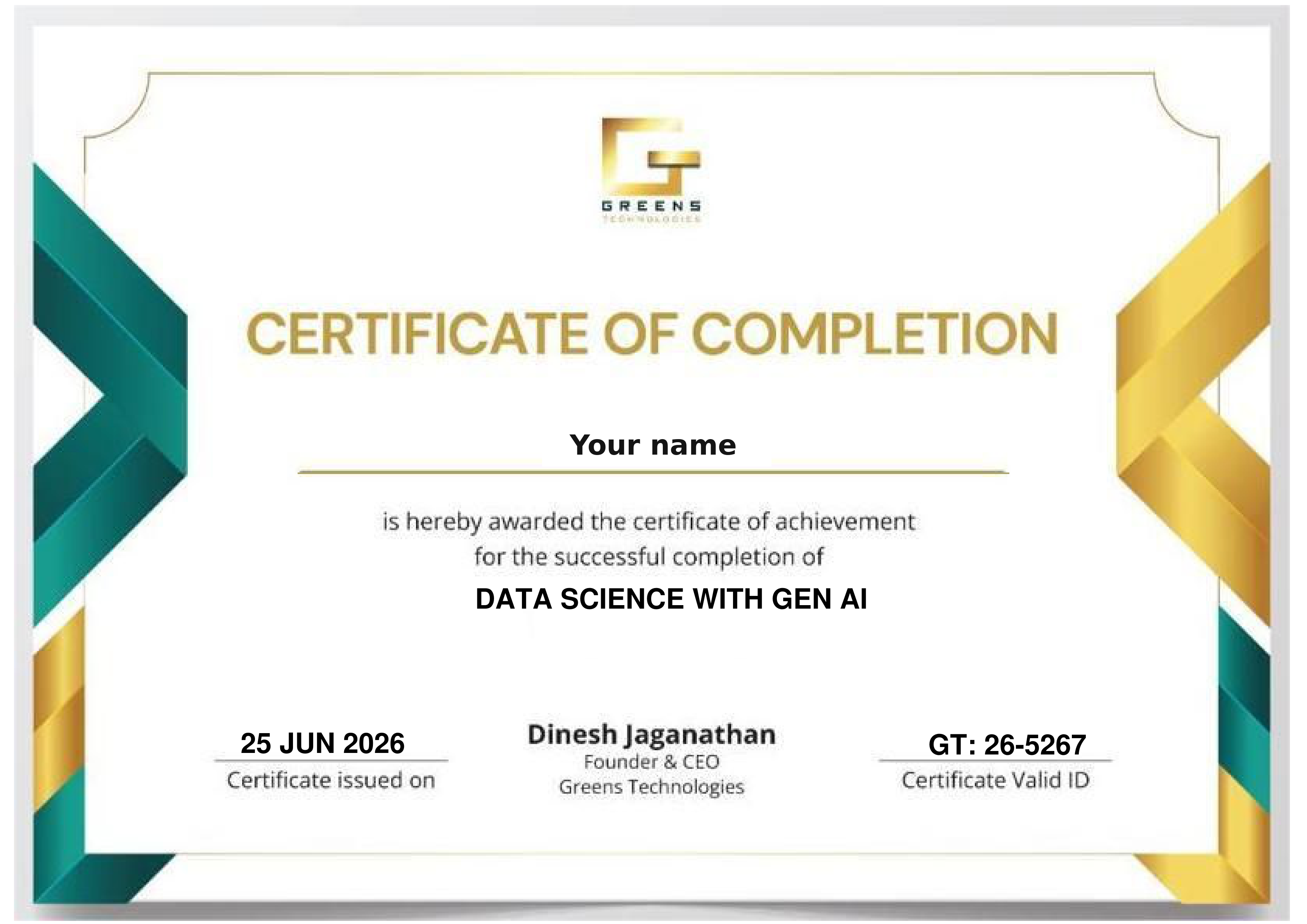
Sample Greens Technologies certificate of completion

Your Roadmap to Becoming a Certified Graphic Designer

Aligned with industry-standard skills and vendor certifications. Provider exams are optional and their fees are separate.

Master raster and vector tools, basic selection, grid alignment, typography, and basic layouts.

Prepare for official ACP exams in Visual Design using Adobe Photoshop, Graphic Design & Illustration using Adobe Illustrator, and Print & Digital Media Publication using Adobe InDesign.

Master corporate logo design, vector graphics, color separation, CMYK print preparation, and brand guideline systems.

Master advanced photo retouching, matte compositing, digital painting techniques, and high-converting ad creative design.

Master logo animation in After Effects, UI layout grids, vector icon sets, component libraries, and interactive Figma prototypes.

Assemble an agency-ready Behance, Dribbble, and PDF creative portfolio optimized for studio job interviews and high-value freelance clients.

Comprehensive Curriculum – Categorized by Skill Level (Basic to Master)

20 modules across three progressive levels: Basic, Advanced and Master. Each level builds on the one before it.

6 modules and 26 topics in the Basic Level.

  • Fundamentals of visual communication: Point, Line, Shape, Texture, Space, and Form
  • Understanding Core Design Principles: Balance, Hierarchy, Contrast, Proximity, Alignment, Repetition
  • Color Theory: Color wheel, Primary/Secondary/Tertiary colors, Warm vs. Cool colors, Color psychology
  • Color Modes: RGB (Screen/Digital) vs. CMYK (Print), Pantone Matching System (PMS)
  • Understanding raster vs. vector graphics, image resolution (72 DPI vs. 300 DPI)
  • Photoshop UI navigation, custom workspace configuration, canvas setup
  • Layer management: Layer groups, lock modes, opacity, fill, and blending modes
  • Essential selection tools: Marquee, Lasso, Quick Selection, Magic Wand, Object Selection
  • Crop, Canvas Size adjustment, Transform tools (Scale, Rotate, Skew, Distort, Perspective)
  • Basic retouching tools: Spot Healing Brush, Healing Brush, Patch tool, Clone Stamp
  • Illustrator UI navigation, artboard management, smart guides, rulers, and grids
  • Drawing with basic shape tools, Line Segment tool, Arc tool, and Star tool
  • Pen Tool Mastery: Drawing precise curves, anchor points, direction handles, and path editing
  • Pathfinder & Shape Builder tools: Uniting, subtracting, intersecting, and excluding shapes
  • Object grouping, alignment, distribution, and basic appearance settings
  • Anatomy of Typography: Serif, Sans-Serif, Script, Display, Slab Serif
  • Leading, Tracking, Kerning, Alignment, and Paragraph Spacing
  • Type Tool in Photoshop & Illustrator: Character panel and Paragraph panel
  • Creating basic typographic posters, quote cards, and social media announcements
  • Navigating the Canva AI interface for fast-paced commercial graphic production
  • Working with pre-built templates for social media stories, banners, and flyers
  • Customizing typography, color palettes, background removal, and asset export
  • Integrating Canva speed workflows with professional Adobe Creative Cloud projects
  • Designing basic flyers, business cards, letterheads, and single-page posters
  • Image saving formats: JPEG, PNG-24 (Transparency), GIF, SVG, EPS, PDF
  • Export settings for digital displays vs. basic home/office printing

7 modules and 31 topics in the Advanced Level.

  • Non-destructive editing: Adjustment Layers (Levels, Curves, Hue/Saturation, Color Balance)
  • Advanced Masking: Layer Masks, Clipping Masks, Select Subject, Select and Mask (Hair Refinement)
  • Digital Compositing: Combining multiple stock images, blending lighting, casting realistic shadows
  • High-End Photo Retouching: Frequency Separation (Skin smoothing), Dodge & Burn, Teeth whitening
  • Working with Smart Objects, Smart Filters, and Camera Raw filter enhancements
  • Principles of Logo Design: Minimalist, Emblem, Mascot, Lettermark, Wordmark, Combination Mark
  • Grid-based logo design: Golden Ratio grids, geometric alignment, vector precision
  • Advanced Pen Tool techniques, Gradient Tool, Gradient Mesh, Blend Tool
  • Creating isometric illustrations, flat art, vector icons, and custom pattern swatches
  • Live Trace / Image Trace: Converting raster images into clean, scalable vector paths
  • InDesign UI, Parent Pages (Master Pages), Page Numbering, and Multi-page document setup
  • Margins, Bleed (3mm standard), Slug area, and Grid Columns setup
  • Paragraph Styles, Character Styles, Object Styles, and Text Threading across frames
  • Designing multi-page brochures, company profile PDFs, magazines, and ebooks
  • Preflight panel: Checking missing links, missing fonts, overflow text, low-res images
  • Creating complete corporate identity packages: Logo variants, color swatches, typography hierarchy
  • Designing stationery sets: Business cards (Standard, Spot UV, Embossed), Letterhead, Envelopes
  • Building a Brand Guidelines Manual (Brand Book): Usage rules, clear space, incorrect usage examples
  • Creating brand moodboards and client pitch presentations
  • Designing high-converting digital ad banners for Facebook, Instagram, Google Display Network
  • Creative framing: Visual focal points, Call-To-Action (CTA) placement, offer highlights
  • Social Media Post Kits: Grid layouts, carousel posts, story templates, event covers
  • Billboard, Roll-up Banner, and Kiosk design for outdoor advertising (OOH)
  • Product image editing: Pure white background isolation (Amazon/Flipkart guidelines)
  • Creating lifestyle product infographics, comparison tables, and dimension badges
  • E-commerce store banner creation (Shopify, Amazon A+ Content graphics)
  • Batch image processing and web optimization for fast loading speed
  • Preparing artwork for commercial printing presses (Offset & Digital Printing)
  • Color separation, CMYK conversion, Rich Black vs. Standard Black (C:60 M:40 Y:40 K:100)
  • Die-lines creation for custom cutouts, folding lines, spot UV layers, and foil stamping
  • Exporting Press-Quality PDFs (PDF/X-1a, PDF/X-4) with trim marks and bleed settings

7 modules and 28 topics in the Master Level.

  • Animating static graphic design assets: Vector logo reveal, kinetic typography, animated badges
  • Keyframe easing, Speed Graph, and Spatial Interpolation
  • Exporting Lottie JSON files for web/app micro-interactions & animated SVGs
  • Designing dynamic animated Instagram Stories and animated promotional ad graphics
  • Packaging Design Principles: Functional design, shelf impact, consumer psychology
  • Creating 3D packaging die-lines for box packaging, labels, pouch bags, and bottles
  • Applying brand graphics to die-lines with accurate dimensions and structural folds
  • Creating realistic 3D product mockups using Photoshop Smart Objects and Adobe Dimension / Blender basics
  • Introduction to UI/UX design: UX research basics, visual hierarchy, user interface graphics
  • Figma interface, Frames, Layout Grids (12-column web grid, 4-column mobile grid)
  • Designing modern Web Banners, Hero Sections, E-commerce landing page layouts
  • Components, Auto-Layout, Design Tokens, Variants, and design system creation in Figma
  • Interactive clickable wireframes and high-fidelity screen prototyping
  • Cinematic matte painting: Environmental creation, atmospheric haze, lighting synthesis
  • Generative AI integration: Using Adobe Firefly, Midjourney, and Photoshop Generative Fill
  • Prompt engineering for graphic designers: Generating textures, backgrounds, and conceptual elements
  • Ethical AI usage, copyright considerations, and retouching AI outputs for professional client delivery
  • 3D text effects in Photoshop & Illustrator: Extrusion, bevels, lighting, metallic/glass textures
  • Kinetic typographic poster design, distorted typography, vintage/retro graphic styles
  • Glitch effects, neon glow art, liquid distortion, halftone print effects
  • Structuring freelance design services: Hourly rates vs. project pricing vs. monthly retainers
  • Writing professional design proposals, scope-of-work contracts, and invoice templates
  • Managing client feedback, revision cycles, project handoff, and file management
  • Intellectual property, copyright laws, stock media licensing (Shutterstock, Freepik, Unsplash), and trademark basics
  • Strategy and structure of an elite graphic design portfolio
  • Curating 5–7 strong case studies: Branding package, packaging design, ad campaign, motion logo, editorial publication, UI layout
  • Presenting design projects on Behance & Dribbble: Process shots, moodboards, die-lines, context mockups
  • Assembling a PDF resume portfolio, personal website setup, and mock agency interview preparation

Build Practical Graphic Design Projects (Across All 3 Levels)

Learning is 80% practical. Build a portfolio spanning basic, advanced and master levels.

Basic Level · Project 01

Minimalist Event Poster & Flyer

Design a high-impact promotional flyer with custom typography, clean visual hierarchy, and color harmony.

Basic Raster & Vector
Advanced Level · Project 02

Corporate Brand Identity Package

Design a complete brand identity including a grid-based logo, business cards, letterhead, and a 4-page Brand Guideline PDF.

Branding & Illustrator
Master Level · Project 03

Commercial Packaging & Die-line

Create a 3D product box die-line with nutrition/ingredient panels, foil stamp layers, and a realistic 3D product mockup.

Product Packaging
Master Level · Project 04

Behance Master Portfolio Case Study

Assemble your signature design portfolio on Behance featuring comprehensive process breakdowns, mockups, and visual case studies.

Capstone Portfolio

Your portfolio tells the story: After these projects you can present brand identity packages, ad campaigns, packaging die-lines, motion logos and UI layouts as Behance, Dribbble and PDF case studies.

READY TO START? ENROLL TODAY

Reserve your seat in our classroom batches in Chennai, Bengaluru, Coimbatore, Trichy and Salem, or join a live online batch.

Flexible 1-on-1 batches, a portfolio project at the end of the course, and the chance to talk directly to our trainer.

Call +91 8939915583

Upcoming Graphic Design Training Batches

New batch every Monday & Friday Classroom & Online Live Tamil & English Instruction
Early Morning Slot
6:00 AM - 7:30 AM
Classroom & Online Live
Morning Slot
8:00 AM - 9:30 AM
Classroom & Online Live
Late Morning Slot
11:00 AM - 12:30 PM
Classroom & Online Live
Afternoon Slot
2:00 PM – 3:30 PM
Classroom & Online Live
Evening Slot (Popular for Working Pros)
7:00 PM - 8:30 PM
Classroom & Online Live

4 Distinct Training Delivery Modes

Choose the learning structure that matches your current schedule, location, and career goals.

Online Live Training

Live instructor-led, India & abroad

Classroom Training

Hands-on labs at 25 branches

1-on-1 Fast Track

Custom pace & scope

Corporate Training

Custom enterprise batches

Who Should Enroll in This Graphic Design Program?

Structured for learners across technical levels and backgrounds.

Course Prerequisites

Basic computer skills and a passion for visual arts are enough. No prior software or design experience is required: we build your skills from ground zero.

No Prior Experience Needed Live Mentor Guidance

Beginners & Students

Start a creative career in visual design

Marketing & Social Media Professionals

Design posts, ads & pitch decks in-house

Photographers & Digital Artists

Master retouching & photo compositing

UI/UX & Web Developers

Add typography, layout & Figma UI skills

Entrepreneurs & Business Owners

Design your own brand & marketing visuals

Freelancers & Working Designers

Prepress, motion logos & global clients

Career Roles Supported by This Course

Graphic Designer / Senior Visual Designer Brand Identity Designer & Brand Strategist Creative Art Director Photo Retoucher & Digital Compositor Packaging & Dieline Designer Motion Graphics Designer (2D Logo Animation) Prepress & Print Production Specialist UI Layout & Digital Banner Designer Freelance Visual Designer & Creative Consultant

Placement Support - Learn. Prepare. Get Placed.

Practical training, project preparation and career services in one course. Our dedicated placement cell bridges the gap between your training and your first graphic design role.

Placements Guaranteed Build your skills and prepare for the next step with Greens Technologies

Resume Preparation

Mock Interviews

Job-Ready Profiles

Interview Coordination

Our Students Work at Global Tech Leaders

Greens Technologies graduates are hired across top product companies and multinational IT consultancies.

Zoho
Freshworks
Amazon
Microsoft
Google
Swiggy
Flipkart
Paytm
TCS
Infosys
Wipro
Cognizant
HCLTech
Accenture
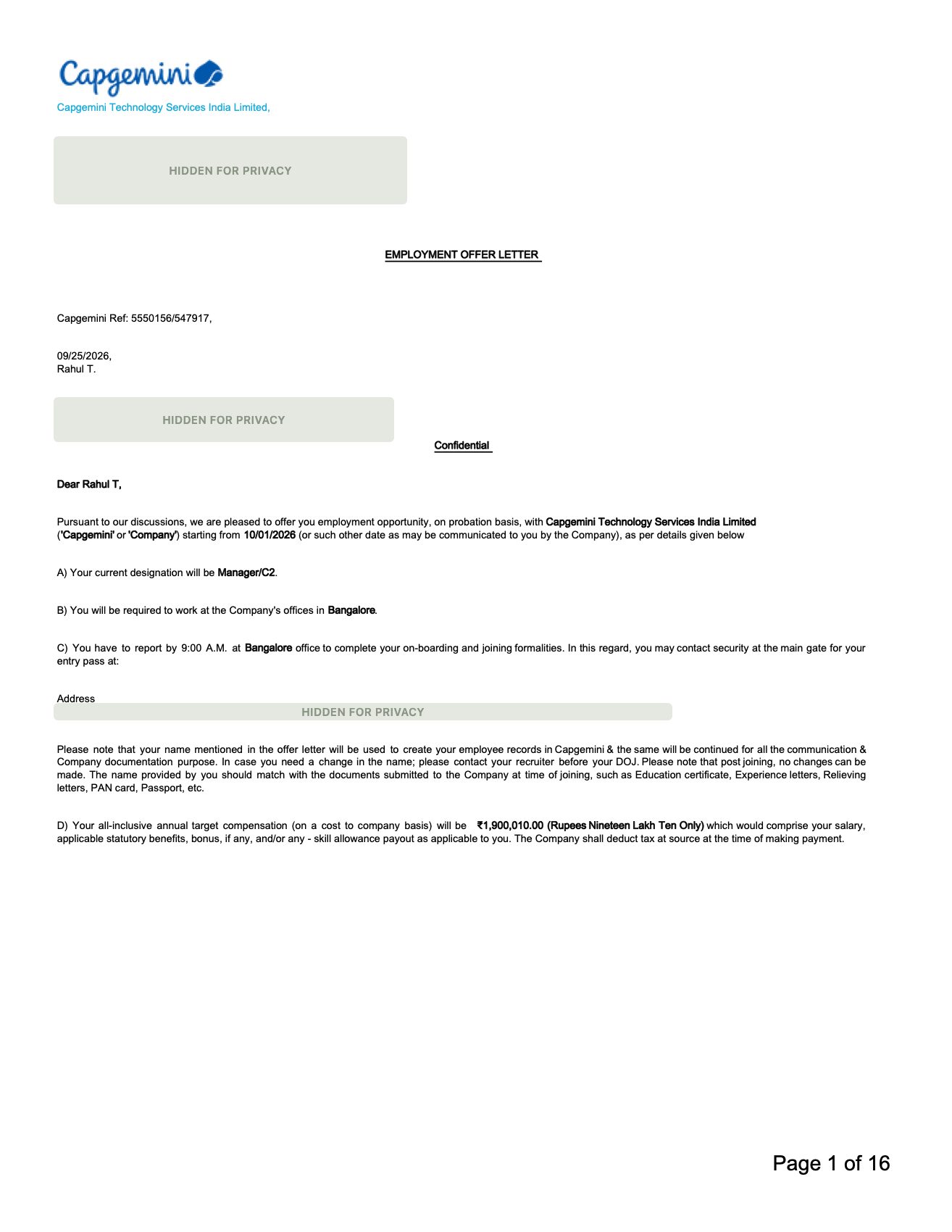
Capgemini
LTIMindtree
500+ Active Hiring Partners
100% Placement Support
₹10 - ₹70+ LPA Salary Packages
1,00,000+ Careers Launched

Essential Graphic Design Interview Questions & Answers

Practise the questions graphic and visual designers are asked in technical rounds, with clear answers you can explain in your own words.

How Professional Graphic Design Drives Industry ROI

Branding & Corporate Identity

Professional logo design and consistent visual branding build trust, increase brand recognition, and allow companies to charge premium prices.

Digital Advertising & E-Commerce

High-converting ad creatives, eye-catching promo banners, and structured product graphics directly boost click-through rates (CTR) and lower customer acquisition costs.

Product Packaging & Retail

Standout package design and clear shelf hierarchy attract consumer attention in physical and online stores, driving impulse buying and brand loyalty.

Publishing & Corporate Communications

Well-structured magazine layouts, annual reports, and brochures improve legibility, reader engagement, and corporate credibility.

UI/UX & Web Development

Intuitive visual layouts, vector icon sets, interactive micro-animations, and structured color systems enhance app usability, reduce bounce rates, and increase user retention.

Frequently Asked Questions

Everything you need to know about the Graphic Design programme, certification, placements and how we handle your data.

The course follows a progressive 3-tier roadmap: Basic Level covers design theory, color psychology, typography, and core tools in Photoshop, Illustrator & Canva; Advanced Level covers photo manipulation, vector branding, InDesign publication layouts, social media ad strategies, e-commerce graphics, and prepress printing; Master Level covers product packaging die-lines, After Effects motion graphics, Figma UI design systems, generative AI design workflows, and Behance portfolio building.

No! Traditional drawing skills are not required. Graphic design relies on visual layout principles, color balance, typography, software tools, and spatial awareness—all of which we teach step-by-step from scratch.

No. Greens Technologies provides fully equipped design labs with high-performance workstations, color-calibrated monitors, graphics tablets, and pre-installed licensed Adobe software for all classroom students.

Yes! We offer flexible weekend batches (Saturday & Sunday) as well as evening live online batches specifically designed for working professionals.

Yes. Portfolio assembly is a core component of Module 20 in the Master Level tier. Our instructors work 1-on-1 with you to curate, polish, and publish 5–7 complete design case studies on Behance, Dribbble, and PDF format.

Greens Technologies provides dedicated placement assurance support. We conduct portfolio reviews, resume building, mock agency design tests, and connect you directly with hiring studios, ad agencies, and corporate brand teams.

Yes! Module 17 in the Master tier covers Generative AI design workflows including Adobe Firefly, Photoshop Generative Fill, Midjourney prompt engineering, and combining AI assets with manual photo manipulation.

You can call our admissions hotline directly at +91 8939915583 or visit any of our Greens Technologies training branches across Chennai to attend a free live demo class.

25 Greens Technologies Branches in Chennai, Bengaluru, Coimbatore, Salem and Trichy

Visit your nearest branch for walk-in counseling, lab tours, and live classroom batches. Also present in Salem, Trichy, Bengaluru and Coimbatore. Online live batches serve learners across all of India.

11 First Street, Padmanabha Nagar
Adyar, Chennai - 600020
19, Balamurugan Garden, Rajiv Gandhi Salai
Thoraipakkam, Chennai - 600097

Landmark: Opp. to Geetham Restaurant

No. 1, Appa Rao Colony
Tambaram Sanatorium, Chennai - 600047

Landmark: Opp. Sri Rama Anjaneyar Temple, near HP Petrol Bunk

No. 12, Rajiv Gandhi Salai (OMR), Egattur Village
Navalur (just before Navalur Tollgate), Chennai - 600035
149, 1C/1D, 1st Floor, Opp. to DLF IT Park
Ramapuram, Chennai - 600089
1st Floor, Plot No. 19 & 20, American Advent Christian Layout
Sholinganallur to Medavakkam Main Road, Perumbakkam, Chennai - 600100

Landmark: Next to OMR Food Street

Ground Floor, New No. W125, Old No. W42, 3rd Avenue, W Block
Anna Nagar, Chennai - 600040

Landmark: Near Parambriym Hotel, opp. HP Petrol Bunk

No. 05, Bakthavachalam Street
West Tambaram, Chennai - 600045
51-A, 2nd Floor, Velachery Road, Dhadeswaram Nagar
Velachery, Chennai - 600042
79, 100 Feet Road, Thiru Nagar Colony, NGO Colony
Vadapalani, Chennai - 600026
New No. 398, Old No. 577, CTH Road, Avadi Checkpost
Avadi, Chennai - 600054
No. 01, Adithi Colony, Mugalivakkam Main Road
Mugalivakkam, Porur, Chennai - 600116
162, Second Floor, Anna Salai, Express Estate
Triplicane, Chennai - 600002
No. 7, 2nd Floor, Perambur Paper Mills Road
Kolathur, Chennai - 600099

Landmark: Near Everwin Vidhyasram School, above Axis Bank

160, North Usman Road
T. Nagar, Chennai - 600017
3rd Floor, No. 27/A, North Park Street, Secretariat Colony, Venkatapuram
Ambattur, Chennai - 600053
162, Grand Southern Trunk Road, near Guduvancheri Railway Station
Nandivaram, Guduvancheri - 603202
75/E-3, Sri Krishna Enclave, 2nd Floor, Salai Road
Thillai Nagar, Tiruchirappalli - 620018
2nd Floor, Sri Sai Kamatchi Complex, Vincent
Salem - 636007

Landmark: Opp. to Government Arts College

No. 280 K, Saranya Complex, Velachery Road, Shanthi Nagar
New Kunagkurichi, Gowriwakkam, Sembakkam, Chennai - 600073
No. 1050, 2nd Floor, Tiruvottiyur High Road, Thangal
Near Kaladipet, Rajakadai Metro, Chennai - 600019

Landmark: Above KFC

Om Sakthi Plaza, First Floor, Old No. 1, New No. 126, Avadi Road
Karayanchavadi, Poonamallee, Chennai - 600056

Your Dream Job in Graphic Design Starts with the Right Training.

Get the skills, practical experience and interview preparation you need to pursue better job opportunities. Start your training with Greens Technologies and benefit from dedicated placement assistance along the way.

Call Advisor
Thank you! Our career counsellor will contact you shortly.