Data Analytics Course in Chennai

Learn Data Analytics in Chennai with Global Certification and Placement Assurance.

Collect, clean and analyse data, and turn it into decisions. Learn the analyst workflow step by step: SQL Server (T-SQL), Power BI dashboards and DAX, Python for data analysis, Excel analytics and Tableau, with two real-time healthcare projects. 3 months, 6 modules, 108 chapters, from beginner to advanced.

  • 500+ Hiring Partners
  • Lifetime Placement Support
  • Bilingual Training in Tamil & English
  • Global Certification Preparation
Data analytics dashboard with charts on a laptop

Build Your Future in Data Analytics

Speak with our training team to explore the skills, certifications and support you need to get started.

  • Real-Time Projects & Hands-On Training
  • Dedicated Mock Interviews & Resume Building
₹70+ LPA
Highest Salary Potential
100%*
Placement Assurance
1,00,000+
Careers Launched
4
Flexible Training Modes

Why Choose Greens Technologies for Data Analytics Training in Chennai?

Greens Technologies provides IT training for students and working professionals seeking to develop practical, job-relevant technical skills.

Practical Learning

Industry-Relevant Curriculum

Experienced IT Trainers

Flexible Training Modes

Personalized Learning Support

Real-World Project Exposure

Placement Assurance

Flexible Batch Options

Meet Our Founder

A message from the leadership behind Greens Technologies.

Founder & Managing Director

Greens Technologies Leadership

Building Chennai's leading software training & placement institute

"Our mission is simple: make quality software education accessible, practical and 100% job-oriented."

What began as a single training center in Adyar has grown to 25 branches across Chennai, Trichy and Salem, offering training, consultancy and development services, with 1,00,000+ students placed through 500+ hiring partners.

15+ YearsIn IT Industry
1,00,000+Students Placed
25Branches

Meet Our Certified Senior Instructors

Learn under the direct mentorship of Greens Technologies leadership and battle-tested industry practitioners. Direct 1-on-1 practical lab guidance with senior practitioners from top product and service companies.

Want to talk directly to our Trainer before enrolling?

Schedule a 15-minute 1-on-1 technical counselling session to discuss your background, syllabus questions, and custom career transition roadmap.

Placement Success Stories

Hear from our students about their learning experiences, placement journeys and how Greens Technologies helped them prepare for the next step in their careers.

01 / 05
Select a Student Story

Get Industry Recognized Certification

Earn a Data Analytics certification from Greens Technologies, recognised by leading multinational companies worldwide. Showcase your practical expertise in SQL Server, Power BI, Python, Excel and Tableau, backed by hands-on training and real-world healthcare project experience.

Benefits of Data Analytics Certification

  • To demonstrate your proficiency in cleaning, analysing and visualising business data,
  • To add weightage to your professional resume & LinkedIn profile,
  • To prepare for the Microsoft PL-300 and Tableau certification exams,
  • To fast-track interview shortlisting for data analyst and BI roles across our hiring partners.
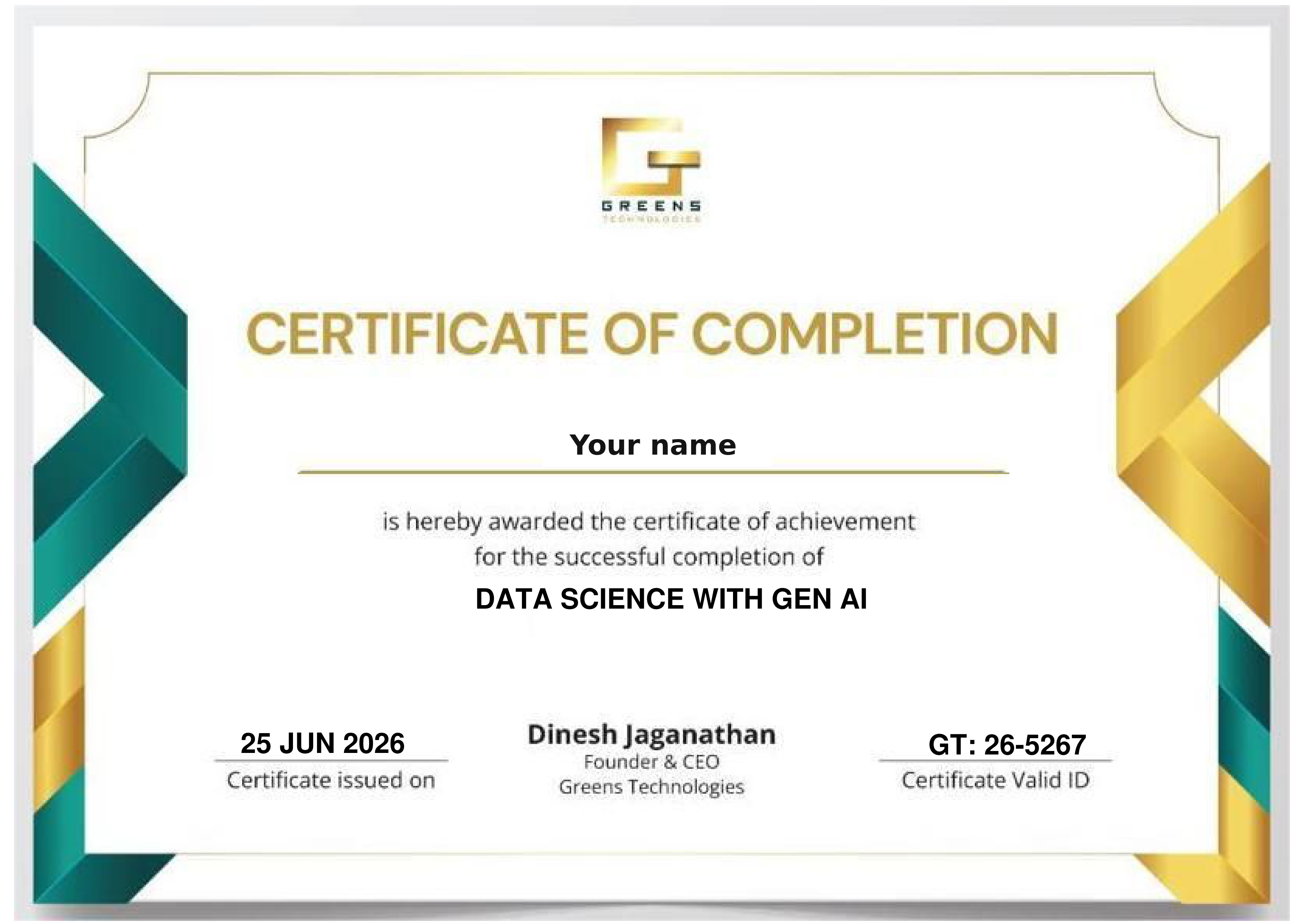
Sample Greens Technologies certificate of completion

Global Certification Pathways

Click a certification to see how the course prepares you. Provider exams are optional and their fees are separate.

The Power BI module ends with dedicated PL-300 exam guidance, sample questions and exam scenarios, covering Power Query data preparation, data modelling, DAX, visualisation and Power BI cloud deployment.

Builds directly on the 18-chapter Tableau module: connecting to data, dimensions and measures, filters, charts, table calculations and dashboards.

Further preparation for advanced Tableau work: LOD expressions, sets and parameters, the analytics pane, dashboard actions and data blending.

Course Curriculum 2026 - One Course. A Clear Sequence.

From raw data to business decisions: 3 months, 6 modules and 108 chapters in the order the tools build on each other, from SQL and Excel to Power BI dashboards, Python and Tableau, finishing with two real-time healthcare projects.

SQL Server, T-SQL queries, joins, procedures, performance and tuning.

1SQL Database Job Roles

  • Database Intro
  • OLTP, DWH, OLAP
  • DBMS Basics
  • Data Analyst Job Roles

2Database Intro & Installations

  • SQL Server Installations
  • Instance & Collations
  • SSMS Tool Installation
  • Connections, Authentications

3SQL Basics V1 (Commands)

  • SQL Basics (DDL, DML, etc.)
  • Creating Databases, Tables
  • Data Inserts (GUI, SQL)
  • Basic SELECT Queries

4SQL Basics V2 (Commands, Operators)

  • DDL: Create, Alter, Drop
  • DML: Insert, Update, Delete
  • DQL: Select, Fetch
  • Add, Truncate Statements
  • SQL Operators

5Data Types & Variables

  • Integer Data Types
  • Character, MAX Data Types
  • Decimal & Boolean Data Types
  • Date and Time Data Types
  • SQL_Variant Type

6Data Imports

  • Data Imports with Excel
  • Data Imports with CSV
  • Data Types Detection
  • OLE-DB Connections
  • ORDER BY, TOP, OFFSET

7Schemas & Batches

  • Schemas & Table Grouping
  • Real-world Banking Database
  • 2 Part, 3 Part & 4 Part Naming
  • Batch Concept & “GO” Command

8Constraints, Keys & RDBMS

  • Null, Not Null Constraints
  • Unique Key & Check
  • Primary Key Constraint
  • Foreign Keys, Default
  • DB Diagrams & ER Models

9Normal Forms & RDBMS

  • Normal Forms: 1 NF, 2 NF
  • 3 NF, BCNF and 4 NF
  • 1:1, 1:M, M:1 Cardinality
  • Cascading Keys, Self Referencing Keys

10Joins & Queries

  • Joins: Table Comparisons
  • Inner Joins & Matching Data
  • Outer Joins: LEFT, RIGHT
  • Full Outer Joins & Aliases
  • Self Joins & Aliases

11Sub Queries

  • Basic Sub Queries
  • Aggregations
  • Combining Queries
  • Correlated Sub Queries
  • UNION, UNION ALL

12Group By Queries

  • Group By, Distinct
  • GROUP BY, HAVING
  • CUBE() and ROLLUP()
  • Sub Totals & Grand Totals
  • GROUPING() & Usage
  • ISNULL, COALESCE

13Joins with Group By, Sub Queries

  • 3 Table, 4 Table Joins
  • Join Queries & WHERE
  • Join & Group By, Sub Queries
  • IIF(), CASE Statement
  • EXISTS, NOT EXISTS
  • Query Execution Order

14Views & RLS

  • Views: Real-time Usage
  • DML, SELECT with Views
  • WITH CHECK OPTION
  • Row Level Security (RLS)
  • Important System Views

15Functions & Queries

  • User Defined Functions
  • Scalar, Table Value Functions
  • Variables & Parameters
  • Date & Time Functions
  • String Functions
  • Aggregated Functions
  • Data Conversion Functions

16Advanced SQL & Window Functions

  • Window Functions (Rank)
  • ROW_NUMBER, DENSE_RANK
  • Partition By & Order By
  • LAG & LEAD Functions
  • PIVOT, UNPIVOT
  • Running Totals
  • Moving Average

17Stored Procedures - 1

  • Stored Procedures: Real-time Use
  • Parameters Concept with SPs
  • Procedures with SELECT
  • System Stored Procedures
  • Stored Procedures, Tuning

18Stored Procedures - 2

  • MERGE Statement (Upsert)
  • Merge with OLTP & DWH
  • Matched and Not Matched
  • Merge & SP Recompilations

19Triggers & Automations

  • Need for Triggers in Real-world
  • DDL & DML Triggers
  • For / After Triggers
  • Instead Of Triggers
  • Disabling DML Triggers

20Transactions & ACID

  • Auto Commit Transaction
  • Explicit Transactions
  • COMMIT, ROLLBACK
  • Checkpoint & Query Blocking
  • READPAST, Lock Hints
  • TRY...CATCH & Error Handling

21SQL Query Performance & Indexing

  • Clustered vs Nonclustered Indexes
  • Index Seek vs Scan
  • Execution Plans
  • SARGable Queries
  • Tuning Queries
  • Avoiding SELECT *
  • Indexing JOIN/WHERE Columns
  • Statistics Basics
  • Query Optimization Examples

22CTEs & Tuning

  • Common Table Expression
  • CTEs for Data Retrieval
  • CTEs for DML Operations
  • Data Cleansing Techniques
  • Duplicate Detection/Removal

23Temp Tables & Query Techniques

  • Local & Global Temp Tables
  • SELECT...INTO Statement
  • Cursor Basics: When to Use & Avoid
  • NULLIF
  • Basic Execution-Plan Reading

24Bonus / Advanced Module: SQL Server Internals

  • Database Engine Components
  • Parser, Compiler & Optimizer
  • Parsing and Compilation
  • Memory Manager & IO Managers

Reports, Power Query, DAX, data modelling, cloud and PL-300 guidance.

1Power BI Intro, Installation

  • Power BI & Data Analysis
  • Power BI Ecosystem
  • Power BI Design Tools
  • Power BI Installation

2Report Design Concepts

  • Basic Report Design (PBIX)
  • Data Points, Spotlight
  • Visual Interactions & Edits
  • Focus Mode, PDF Exports

3Grouping, Hierarchies

  • Creating Groups: Lists
  • Creating Groups: Bins
  • Hierarchies & Drill-Downs
  • Drill Up, Conditional Drill-Down

4Slicer & Visual Sync

  • Slicer Visual in Power BI
  • Slicer: Format Options
  • Single Select, Multi Select
  • Slicer: Select All On / Off
  • Visual Sync with Slicers

5Filters & Drill Through

  • Power BI Filters
  • Basic, Top & Advanced
  • Visual Filters, Page Filters
  • Report Level Filters, Clear Filter
  • Drill Through Filters & Usage

6Bookmarks, Buttons

  • Power BI Bookmarks
  • Images: Actions, Bookmarks
  • Buttons: Actions, Bookmarks
  • Page to Page Navigations
  • Score Cards, Master Pages

7SQL DB Access & Big Data

  • SQL DB Access, Queries
  • Storage Modes: DirectQuery
  • Formatting & Date Time
  • Storage Modes in Power BI
  • Data Modeling & Formatting

8Power BI Visualizations

  • Charts, Bars, Lines, Area
  • Tree Maps & Axis Items
  • Funnel, Card, Multi-Row Card
  • Pie Charts & Waterfall
  • Scatter Chart, Play Axis
  • Infographics, Classifications

9Power Query Transformations - 1

  • Power Query (Mashup)
  • ETL Transformations in PBI
  • Table Combine Options
  • Merge, Union All Options
  • Missing Values, Duplicate Records
  • Wrong Data Types, Outliers
  • Close, Apply & Visualize

10Power Query Transformations - 2

  • Group By Transformation
  • Aggregate, Pivot Operation
  • Reverse Rows, Count Rows
  • Data Cleaning, Null Handling
  • Data Type Detection, Change
  • Rename, Replace, Move
  • Fill Up, Fill Down

11Power Query Transformations - 3

  • String / Text Transformations
  • Split, Merge, Extract, Format
  • Numeric and Date Time
  • Add Column & Expressions
  • Column From Examples

12Power Query Transformations - 4

  • Parameters in Power Query
  • Static Parameters, Defaults
  • Dynamic Dropdowns, Lists
  • Linking with Table Queries
  • Step Edits, Type Conversions

13Power BI Cloud & Fabric

  • Power BI Cloud, Microsoft Fabric
  • Microsoft Fabric Concepts
  • Fabric OneLake (DWH, LH, etc.)
  • Microsoft Fabric Workspace
  • Power BI Desktop Connections
  • Report Uploads (PBIX)
  • Report Edits, Semantic Models

14Power BI Cloud Dashboards

  • Power BI Dashboards
  • Dashboard Creation, Usage
  • Pin Visuals, Pin Live Pages
  • Add Image, Video Tiles
  • Q&A & Pin Tiles

15Power BI Cloud Operations

  • Report Shares, Alerts
  • Subscriptions, Exploration
  • Downloads & Edits
  • Report Cloning in Cloud
  • QR Codes, Web Publish
  • Lineage & Metrics

16Power BI Cloud Gateways

  • Data Gateways, Data Refresh
  • Install, Configure Gateways
  • Data Refresh & Scheduling
  • Gateway Optimizations
  • Incremental Refresh
  • Large Dataset Optimization

17Power BI Cloud Apps

  • Power BI Apps: Creation
  • App Sections & Content
  • Audience & App Security
  • App Updates, Favorites
  • App URL, End User Access

18Power BI Report Server, RDL

  • Power BI Report Server
  • RS Config Tool Options
  • Report Database, TempDB
  • Web Service & Server URL
  • Report Builder Tool
  • Paginated Report (RDL)
  • RDL Report Publish

19DAX Concepts & Calculations

  • DAX Concepts: Intro & Real-time Need
  • DAX Columns: Creation, Use
  • DAX Measures: Creation, Use
  • DAX Functions: IF, ISBLANK
  • SUM, CALCULATE Functions

20DAX Quick Measures

  • Quick Measures in Power BI
  • Running Totals
  • Star Rating Calculations
  • DAX Measures in Data View
  • DAX in Cloud Reports

21Data Modelling

  • Dimension Tables
  • Fact Tables & DAX Measures
  • Data Models & DAX Joins
  • Star & Snowflake Schemas
  • Many-to-Many Relationships
  • Calculation Groups

22DAX Joins, Variables

  • CALCULATE & Variables
  • COUNT, COUNTA, etc.
  • SUM, SUMX, etc.
  • SELECTEDVALUE
  • Filter Context, RETURN

23DAX Models & Calculations

  • VAR, SWITCH, SUMMARIZE
  • TREATAS, USERELATIONSHIP
  • CROSSFILTER, GENERATE
  • RANKX, TOPN, WINDOW
  • OFFSET, INDEX

24DAX Time Intelligence

  • Need for Time Intelligence
  • Date Table Generation
  • Time Intelligence with DAX
  • PARALLELPERIOD, DATE
  • CALENDAR, Total Functions
  • YTD, QTD, MTD with DAX

25DAX - Row Level Security

  • RLS: Row Level Security
  • Data Modelling & Roles
  • Add Cloud Users & KPIs
  • Copilot with DAX

26DAX - Analytical Reports

  • DAX with Excel
  • Analytical Reports
  • Virtual Cube Concepts
  • Cross Filter Reporting
  • Alerts, Data Activator

27PL-300 Exam Guidance

  • PL-300 Exam Guidance
  • Exam Samples
  • Exam Scenarios

Core Python, data types, loops, pandas DataFrames and SQL access.

1Python Introduction

  • Python Introduction
  • Python Versions
  • Python for Data Analysts
  • Python Architecture

2Python Installations

  • Python Installations
  • Anaconda Installation
  • Python IDE & Usage
  • Jupyter Notebooks

3Python Print Statement

  • Python Print Statement
  • print() Basics
  • Testing Case Sensitivity
  • Single Line, Multi Line Prints
  • print() with Single Quotations
  • Debug with AI (AI Assistants)

4Python Variables

  • Python Variables
  • Assigning Values
  • Variable Value Reads
  • Multiple Variables & print()

5Python Operators

  • Arithmetic Operators
  • Python String Literals
  • Single, Double Quotes
  • Format Strings (f-strings)
  • Comparison, Indexing Operators

6Python Data Types

  • Python Data Types
  • Integer, Float, String Data Types
  • Type Casting
  • Type Identification
  • Multi Value Assignments

7Python Lists

  • Creating Python Lists
  • Printing List Items
  • Print List Slices
  • Empty Lists, Append
  • Loops, List Updates

8Python Dictionaries

  • Python Dictionary
  • Indexing Dictionaries
  • Edit Key Values
  • Lists inside Dictionaries
  • Delete & Clear

9Python Tuples

  • Python Tuples
  • Defining, Indexing
  • len(), type()
  • Mixed Values in Tuples
  • Overwriting Tuples

10Python IF...ELSE Condition

  • If...Else Conditions
  • if...elif...else & Shorthand if
  • Composite Conditions
  • in & Negation Operators
  • Range Conditions

11Python Loops

  • Python For Loop
  • For Loop @ Range
  • For Loop @ Sequence Values
  • While Loop, Exit Conditions
  • Break, Continue, Pass

12Python DataFrames

  • DataFrames: Creation
  • Pandas DataFrames
  • DataFrames from Single List
  • DataFrames from Dictionary
  • Display DataFrames, List Items
  • Identify, Replace Nulls, NumPy

13Python SQL DB Access

  • SQL DB Access with Python
  • pyodbc Module, SQL Functions
  • SQL Query Executions: DDL, DML
  • Filters, Aggregations with SQL
  • DataFrame Usage with SQL

14DataFrame Transformations - 1

  • DataFrame Transformations
  • Concat & Append
  • Merge Function
  • Join with Multiple DataFrames
  • Data Type Checks, Conversions
  • Loops with DataFrames

15DataFrame Transformations - 2

  • Pandas - Cleaning Data
  • Replace, Transform Columns
  • Data Discovery & Column Fill
  • Identify & Remove Duplicates
  • dropna(), fillna() Functions

16DataFrame Transformations - 3

  • Python Functions for Date, Time
  • now() Function in Python
  • Date, Time Functions
  • Calendar Data Generation

17Python Functions & Lambda

  • Python Functions & Usage
  • Function Parameters
  • Default & List Parameters
  • Python Lambda Functions
  • Return & Print @ Lambda

Functions, pivots, dashboards, lookups, VBA macros and statistics.

1Excel Concepts, Basic Functions

  • Excel Basics & Concepts
  • Excel Functions
  • Excel Operations

2Formatting and Proofing

  • Currency Format
  • Custom and Special Formats
  • Formatting Cells
  • Absolute, Mixed
  • Relative Referencing

3Functions

  • SUMIF, SUMIFS, COUNTIF
  • COUNTIFS, AVERAGEIF
  • AVERAGEIFS, Nested IF
  • IFERROR Statement
  • AND, OR, NOT

4Protecting Excel

  • File Level Protection
  • Workbook Protection
  • Worksheet Protection
  • Security Concepts
  • Real-time Issues, Solutions

5Text Functions

  • UPPER, LOWER, PROPER
  • LEFT, MID, RIGHT
  • TRIM, LEN, EXACT
  • CONCATENATE
  • FIND, SUBSTITUTE

6Date & Time Functions

  • TODAY, NOW
  • DAY, MONTH, YEAR
  • DATE, DATEDIF, Date Add
  • EOMONTH
  • Weekday Functions

7Advanced Techniques

  • Paste Formulas
  • Paste Formats
  • Paste Validations
  • Transpose Tables

8New in Excel & 365 - 1

  • Charts: Tree Map & Waterfall
  • Sunburst, Box and Whisker Charts
  • Combo Charts: Secondary Axis
  • Adding Slicers in Pivots & Tables
  • Using Power Map and Power View
  • Forecast Sheet, Sparklines

9New in Excel & 365 - 2

  • Using 3-D Map
  • Pivot Tables, Timelines
  • Auto-complete a Data Range
  • Quick Analysis Tool
  • Smart Lookup

10Printing Workbooks

  • Setting Up Print Area
  • Customizing Headers
  • Templates
  • Print Titles: Repeat Rows

11Sorting and Filtering

  • Filtering on Text
  • Numbers & Colors
  • Sorting Options
  • Advanced Filters
  • Filter Criteria

12What If Analysis

  • Goal Seek
  • Scenario Analysis
  • Data Tables (PMT Function)
  • Solver Tool

13Logical Functions

  • IF Function
  • How to Fix Errors: IFERROR
  • Nested IF
  • Complex IF, AND, OR Functions

14Data Validation

  • Number, Date & Time
  • Text and List Validation
  • Custom Validation Formulas
  • Dynamic Dropdowns

15Lookup Functions

  • VLOOKUP
  • XLOOKUP
  • Reverse Lookup
  • INDEX and MATCH
  • Worksheet Linking

16Pivot Tables - 1

  • Creating Simple Pivot Tables
  • Filtering PivotTables
  • Modifying PivotTable Data
  • Grouping, Calculated Fields

17Pivot Tables - 2

  • Array with IF, LEN
  • MID Function Formulas
  • Slicers, Filter Data
  • Manage Primary Axis
  • Manage Secondary Axis

18Excel Dashboard

  • Planning a Dashboard
  • Tables and Charts to Dashboard
  • Dynamic Contents to Dashboard

19VBA Macro - Level 1

  • Using Outlook Namespace
  • Send Automated Mail
  • Outlook Configurations, MAPI
  • Worksheet Operations
  • Workbook Operations

20VBA Macro - Level 2

  • Merge Worksheets using Macro
  • Merge Multiple Excel Files into One Sheet
  • Split Worksheets using VBA
  • Worksheet Copiers

21Statistics for Data Analysis - 1

  • Mean, Median
  • Mode, Variance
  • Standard Deviation
  • Correlation

22Statistics for Data Analysis - 2

  • Probability Basics
  • Hypothesis Testing
  • Confidence Interval
  • Outliers, Normal Distribution

Two projects, one healthcare portfolio, built end to end on the course tools: SQL, Power BI, Excel, Advanced Excel and Python.

1Project 1: HealthCare Domain

  • Solve 20+ real-world healthcare business requirements
  • Database Design
  • SQL Development
  • Data Analysis
  • Performance Optimization
  • Tools: SQL, Power BI, Excel

2Project 2: Enterprise Healthcare Platform

  • Design a modern healthcare data platform
  • Process patient, hospital, clinical and operational data
  • Power BI analytics and reporting services
  • Tools: SQL, Power BI, Excel, Advanced Excel, Python

3Project 1 - Operational Flow

  • Healthcare DB, Patients, Doctors
  • Appointments, Treatments, Billing
  • Insurance
  • SQL Analysis, Stored Procedures
  • Performance Tuning
  • Business Reports

4Learning Outcomes

  • Power BI Reporting
  • Power BI Data Analytics
  • Business Process Understanding
  • Performance Optimization
  • End-to-End Power BI Implementation in Cloud

5Career Guidance

  • Resume Optimization
  • LinkedIn Optimization
  • ATS-Friendly Resume
  • Interview Strategy

Complete syllabus, beginner to advanced: visuals, calculations, dashboards and data connections.

1Introduction to Tableau

  • Overview of Tableau
  • What is Tableau?
  • Tableau as a BI & Data Visualization Tool
  • Tableau Desktop, Server, Online, Public
  • Tableau Architecture & Workflow
  • Uses and Applications
  • Business Reporting & Dashboards
  • Sales & Marketing Analytics
  • Finance & Operations Reporting
  • Healthcare, Retail & Supply Chain Use Cases
  • Tableau vs Other BI Tools (Power BI, Excel)

2Data Types in Tableau

  • Numeric: Number, Decimal, Whole
  • Integer vs Floating Values
  • String: Usage, Cleaning & Formatting Text
  • Date & Time: Date, DateTime
  • Date Hierarchy (Year → Quarter → Month → Day)
  • Geographic: Country, State, City, Postal Code
  • Latitude & Longitude, Geographic Roles
  • Boolean: True / False Values in Filters & Calculations

3Dimensions & Measures

  • Dimensions
  • Discrete vs Continuous Dimensions
  • Examples: Name, City, State, Category
  • Measures
  • Aggregated vs Non-aggregated Measures
  • Examples: Sales, Income, Expense
  • Converting Dimensions & Measures
  • Real-time Business Scenarios

4Data Organization

  • Combine: Combining Fields into a Single Field
  • Group: Creating Groups Manually
  • Grouping Categories (Top vs Others)
  • Hierarchy: Creating Hierarchies
  • Drill-down and Drill-up
  • Example: Country → State → City

5Filters in Tableau

  • Data Source Filters & Performance
  • Extract Filters: Extract vs Live
  • Live Connection Filters
  • Quick Filters & Display Options
  • Dimension Filters: Top, Bottom, Conditional
  • Measure Filters: Aggregated & Range
  • Cascading Filters: Only Relevant Values
  • Context Filters: Order of Execution & Performance

6Axis Concepts

  • Dual Axis: Two Measures, Different Scales
  • Dual-axis Charts (Bar + Line)
  • Synchronizing Axis with the Same Scale
  • Blended Axis: Two Charts, One Axis

7Charts & Visualizations

  • Donut Chart using Dual Axis
  • Formatting and Labeling
  • Lollipop Chart: Bar + Circle Combination
  • Best Practices: Choosing the Right Chart
  • Avoiding Visual Clutter

8Apply Changes to Sheets

  • Apply Formatting to All Worksheets
  • Apply Changes to Selected Sheets
  • Formatting across Related Data Sources

9Data Formatting

  • Table Creation: Text & Crosstab Tables
  • Highlighting: Highlight Tables
  • Conditional Formatting
  • Background Colors: Cell Shading
  • Banding Rows and Columns

10Quick Table Calculations

  • Running Total
  • Difference from Previous / Current
  • Percent Difference, Percent of Total
  • Rank (Ascending & Descending)
  • Percentile Analysis
  • Moving Average & Trend Smoothing

11Table Calculation Options

  • Edit Table Calculation: Compute Using
  • Table Across, Table Down
  • Pane Across, Pane Down
  • Clear Table Calculation

12Maps in Tableau

  • Unknown Locations
  • Edit Location: Correcting Geographic Roles
  • Filter Map Data
  • Default Map Position

13Analytics Pane

  • Lines: Constant & Reference Lines
  • Bands: Reference & Distribution Bands
  • Statistical Analysis: Average Line, Clustering, Totals
  • Forecast: Trend and Predictive Forecasting

14Dashboard Creation

  • Dashboard Actions Overview
  • Highlight Actions: Menu, Hover, Select
  • Filter Actions between Sheets
  • Navigation Actions: Go to URL, Go to Sheet

15Tableau Functions

  • Number: ROUND, ABS, CEILING, FLOOR, SIGN, SQRT, SQUARE
  • Aggregate: SUM, AVG, MIN, MAX, COUNT, COUNTD
  • Logical: AND, OR, IF, ELSEIF, IFNULL, ISNULL, ZN
  • String: UPPER, LOWER, LEFT, RIGHT, MID, SPLIT, CONTAINS, ENDSWITH, FIND, FINDNTH
  • Table Calculation: FIRST, LAST, INDEX, RANK, RANK_DENSE
  • Date: TODAY, NOW, DATEDIFF, DATEADD, DATENAME, DATEPART

16Level of Detail (LOD) Expressions

  • FIXED: Fixing Calculation Granularity
  • EXCLUDE: Excluding Dimensions
  • LOD Best Practices: Performance
  • Real-time Examples

17Sets & Parameters

  • Sets: Static & Dynamic Sets
  • Set Operations
  • Parameters: Creating Parameters
  • Parameter Controls
  • Using Parameters in Calculations

18Data Connections

  • Data Joining: Inner, Left, Right, Full Joins
  • Join Calculations
  • Data Blending: Primary vs Secondary Sources
  • Relationships between Blended Data

Build a Real Data Analytics Portfolio

Two projects. One healthcare portfolio. Both are built end to end on the course tools: SQL, Power BI, Excel, Advanced Excel and Python.

Real-Time Project 01 · Healthcare Domain

1. HealthCare Domain

Platform: SQL Server, Power BI & Excel

Solve 20+ real-world healthcare business requirements across database design, SQL development, data analysis and performance optimization. Work through the full operational flow: healthcare database, patients, doctors, appointments, treatments, billing and insurance, then SQL analysis, stored procedures, performance tuning and business reports.

SQL Power BI Excel
Real-Time Project 02 · Healthcare Platform

2. Enterprise Healthcare Platform

Platform: SQL, Power BI, Excel, Advanced Excel & Python

Design and implement a modern healthcare data platform using Power BI analytics and reporting services to process patient, hospital, clinical and operational data for reporting and analytics, through to an end-to-end Power BI implementation in the cloud.

SQL Power BI Excel Advanced Excel Python

Your portfolio tells the story: After these projects you can confidently show experience in Power BI reporting and data analytics, business process understanding, performance optimization and end-to-end Power BI implementation in the cloud.

READY TO START? ENROLL TODAY

Reserve your seat in our classroom batches in Chennai, Bengaluru, Coimbatore, Trichy and Salem, or join a live online batch.

Flexible 1-on-1 batches, a portfolio project at the end of the course, and the chance to talk directly to our trainer.

Call +91 8939915577

Upcoming Data Analytics Training Batches

New batch every Monday & Friday Classroom & Online Live Tamil & English Instruction
Early Morning Slot
6:00 AM - 7:30 AM
Classroom & Online Live
Morning Slot
8:00 AM - 9:30 AM
Classroom & Online Live
Late Morning Slot
11:00 AM - 12:30 PM
Classroom & Online Live
Afternoon Slot
2:00 PM – 3:30 PM
Classroom & Online Live
Evening Slot (Popular for Working Pros)
7:00 PM - 8:30 PM
Classroom & Online Live

4 Distinct Training Delivery Modes

Choose the learning structure that matches your current schedule, location, and career goals.

Online Live Training

Live instructor-led, India & abroad

Classroom Training

Hands-on labs at 25 branches

1-on-1 Fast Track

Custom pace & scope

Corporate Training

Custom enterprise batches

Who Should Take This Data Analytics Course?

Designed for both technical and non-technical backgrounds with zero prior coding prerequisites.

Course Prerequisites: None Required

Graduates from any degree, IT or non-IT, can join. We start from SQL and Excel basics and move step by step to Power BI, Python and Tableau, so the course suits freshers, working professionals and anyone restarting a career.

Beginner to Advanced: SQL, Excel, Power BI, Python & Tableau Beginner Friendly Live Mentor Guidance

Freshers & College Students

IT & Non-IT Graduates

Working Professionals

IT Professionals Moving into Data

Excel & MIS Reporting Professionals

Career Restarters After a Gap

Placement Assurance - Learn. Prepare. Get Placed.

Practical training, project preparation and career services in one course. Our dedicated placement cell bridges the gap between your training and your first data analyst role.

Placements Guaranteed Build your skills and prepare for the next step with Greens Technologies

Resume Preparation

Mock Interviews

Job-Ready Profiles

Interview Coordination

Our Students Work at Global Tech Leaders

Greens Technologies graduates are hired across top product companies and multinational IT consultancies.

Zoho
Freshworks
Amazon
Microsoft
Google
Swiggy
Flipkart
Paytm
TCS
Infosys
Wipro
Cognizant
HCLTech
Accenture
Capgemini
LTIMindtree
500+ Active Hiring Partners
100% Placement Assurance
₹10 - ₹70+ LPA Salary Packages
1,00,000+ Careers Launched

Data Analytics Top Interview Questions & Answers

Practise the real-world interview questions data analysts face on SQL, Excel, Power BI and DAX, Python and Tableau, so you can walk into technical rounds with confidence.

What a Data Analyst Does

A data analyst collects, cleans, processes and analyses data to identify trends, discover insights and help organisations make better business decisions.

Data Collection

Gather data from databases, Excel files, applications and other sources.

Data Cleaning

Identify and correct missing, duplicate or inaccurate data.

Data Analysis

Analyse data to discover patterns, trends and business opportunities.

Data Visualization

Create interactive dashboards, charts and reports using Power BI.

Business Reporting

Track KPIs, sales performance and business growth.

Decision Support

Provide data-driven recommendations to improve the business.

Top Six Reasons to Become a Data Analyst

Growing Career Opportunities

Suitable for Freshers & Working Professionals

Attractive Salary Potential

Multiple Job Opportunities

Less Coding Compared to Software Development

Future Career Growth with AI

Course FAQs

Everything you need to know about the Data Analytics programme, certification, placements and how we handle your data.

Every organisation now relies on data to track performance and make decisions, so data analysts are needed across IT, banking, healthcare, retail and more. The role suits freshers and working professionals, involves less coding than software development, offers attractive salary potential and keeps growing as AI adds new analytics work.
A data analyst collects data from databases, Excel files and applications, cleans it by fixing missing, duplicate or inaccurate values, analyses it to find patterns and trends, builds dashboards and reports in tools like Power BI, tracks KPIs and gives data-driven recommendations to the business.
Six modules in the order the tools build on each other: MSSQL & T-SQL (24 chapters), Power BI with Power Query and DAX (27 chapters), Python for data analysts with pandas (17 chapters), Excel Analytics from basic to advanced including VBA and statistics (22 chapters), Tableau (18 modules) and two real-time healthcare projects.
The Data Analytics Master Course runs for 3 months and covers 6 modules, 108 chapters and 2 real-time projects, taking you from beginner to advanced.
You receive a Greens Technologies Data Analytics Course Completion Certificate. The Power BI module includes dedicated PL-300 exam guidance, and the Tableau module prepares you for the Tableau certifications. Provider exams are optional and their fees are separate.
No. Graduates from any degree, IT or non-IT, can join. The course starts from SQL and Excel basics before moving on to Power BI, Python and Tableau.
Our placement cell helps with resume optimization, ATS-friendly resumes, LinkedIn optimization, interview strategy, mock interviews and interview coordination with our hiring partners.
Yes. Book a free demo class to experience the trainer's teaching approach and discuss your batch, timings and enrolment with a course advisor.

25 Greens Technologies Branches in Chennai, Bengaluru, Coimbatore, Salem and Trichy

Visit your nearest branch for walk-in counseling, lab tours, and live classroom batches. Also present in Salem, Trichy, Bengaluru and Coimbatore. Online live batches serve learners across all of India.

11 First Street, Padmanabha Nagar
Adyar, Chennai
19, Balamurugan Garden, Rajiv Gandhi Salai
Thoraipakkam, Chennai - 600097

Landmark: Opp. to Geetham Restaurant

No. 1, Appa Rao Colony
Tambaram Sanatorium, Chennai - 600047

Landmark: Opp. Sri Rama Anjaneyar Temple, near HP Petrol Bunk

No. 12, Rajiv Gandhi Salai (OMR), Egattur Village
Navalur (just before Navalur Tollgate), Chennai - 600035
149, 1C/1D, 1st Floor, Opp. to DLF IT Park
Ramapuram, Chennai - 600089
1st Floor, Plot No. 19 & 20, American Advent Christian Layout
Sholinganallur to Medavakkam Main Road, Perumbakkam, Chennai - 600100

Landmark: Next to OMR Food Street

Ground Floor, New No. W125, Old No. W42, 3rd Avenue, W Block
Anna Nagar, Chennai - 600040

Landmark: Near Parambriym Hotel, opp. HP Petrol Bunk

No. 05, Bakthavachalam Street
West Tambaram, Chennai - 600045
51-A, 2nd Floor, Velachery Road, Dhadeswaram Nagar
Velachery, Chennai - 600042
79, 100 Feet Road, Thiru Nagar Colony, NGO Colony
Vadapalani, Chennai - 600026
New No. 398, Old No. 577, CTH Road, Avadi Checkpost
Avadi, Chennai - 600054
No. 01, Adithi Colony, Mugalivakkam Main Road
Mugalivakkam, Porur, Chennai - 600116
162, Second Floor, Anna Salai, Express Estate
Triplicane, Chennai - 600002
No. 7, 2nd Floor, Perambur Paper Mills Road
Kolathur, Chennai - 600099

Landmark: Near Everwin Vidhyasram School, above Axis Bank

160, North Usman Road
T. Nagar, Chennai - 600017
3rd Floor, No. 27/A, North Park Street, Secretariat Colony, Venkatapuram
Ambattur, Chennai - 600053
162, Grand Southern Trunk Road, near Guduvancheri Railway Station
Nandivaram, Guduvancheri - 603202
75/E-3, Sri Krishna Enclave, 2nd Floor, Salai Road
Thillai Nagar, Tiruchirappalli - 620018
2nd Floor, Sri Sai Kamatchi Complex, Vincent
Salem - 636007

Landmark: Opp. to Government Arts College

No. 280 K, Saranya Complex, Velachery Road, Shanthi Nagar
New Kunagkurichi, Gowriwakkam, Sembakkam, Chennai - 600073
No. 1050, 2nd Floor, Tiruvottiyur High Road, Thangal
Near Kaladipet, Rajakadai Metro, Chennai - 600019

Landmark: Above KFC

Om Sakthi Plaza, First Floor, Old No. 1, New No. 126, Avadi Road
Karayanchavadi, Poonamallee, Chennai - 600056

Your Dream Job in Data Analytics Starts with the Right Training.

Get the skills, practical experience and interview preparation you need to pursue better job opportunities. Start your training with Greens Technologies and benefit from dedicated placement assistance along the way.

Call Advisor
Thank you! Our career counsellor will contact you shortly.